Sync Magic for WordPress
Free Pro · $60/yr

Staging to live, without the copy and paste.

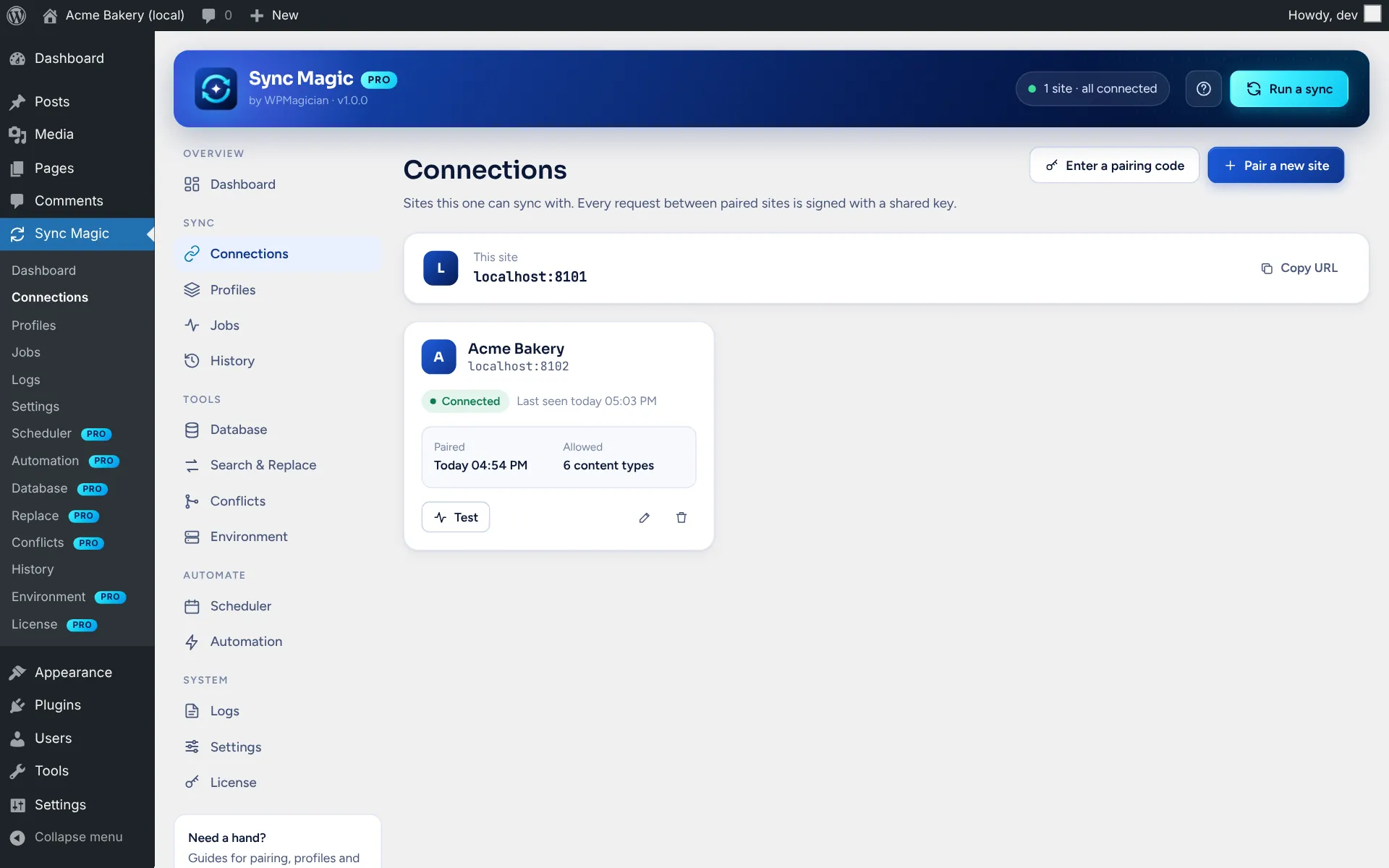
Pair two WordPress sites with a 6-digit code, save what to copy and which way, preview it with a dry run, then sync posts, media, users and settings in the background. Links and IDs are fixed on the way, and only what changed is sent.

6-digit

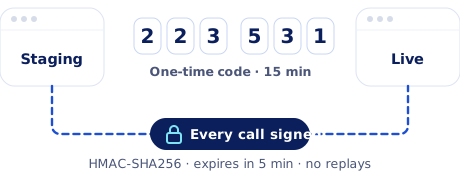
code pairs two sites, no passwords

HMAC

signature on every site-to-site request

5 MB

chunks for large files, checked by hash

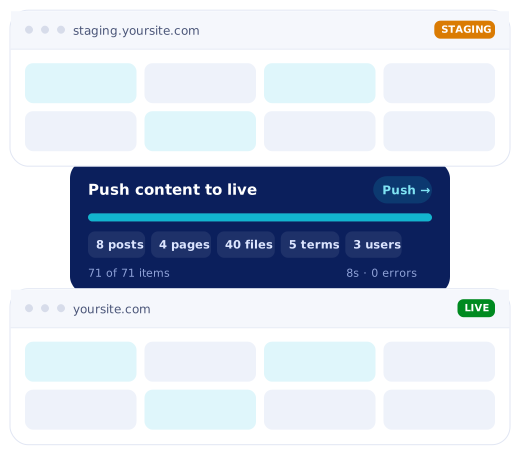
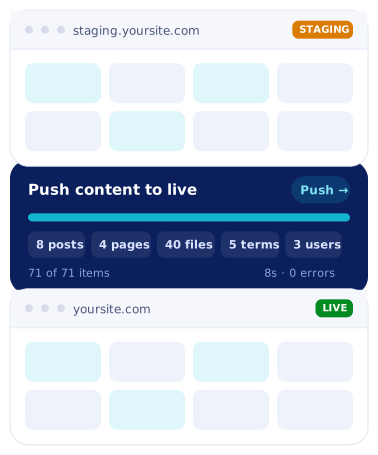
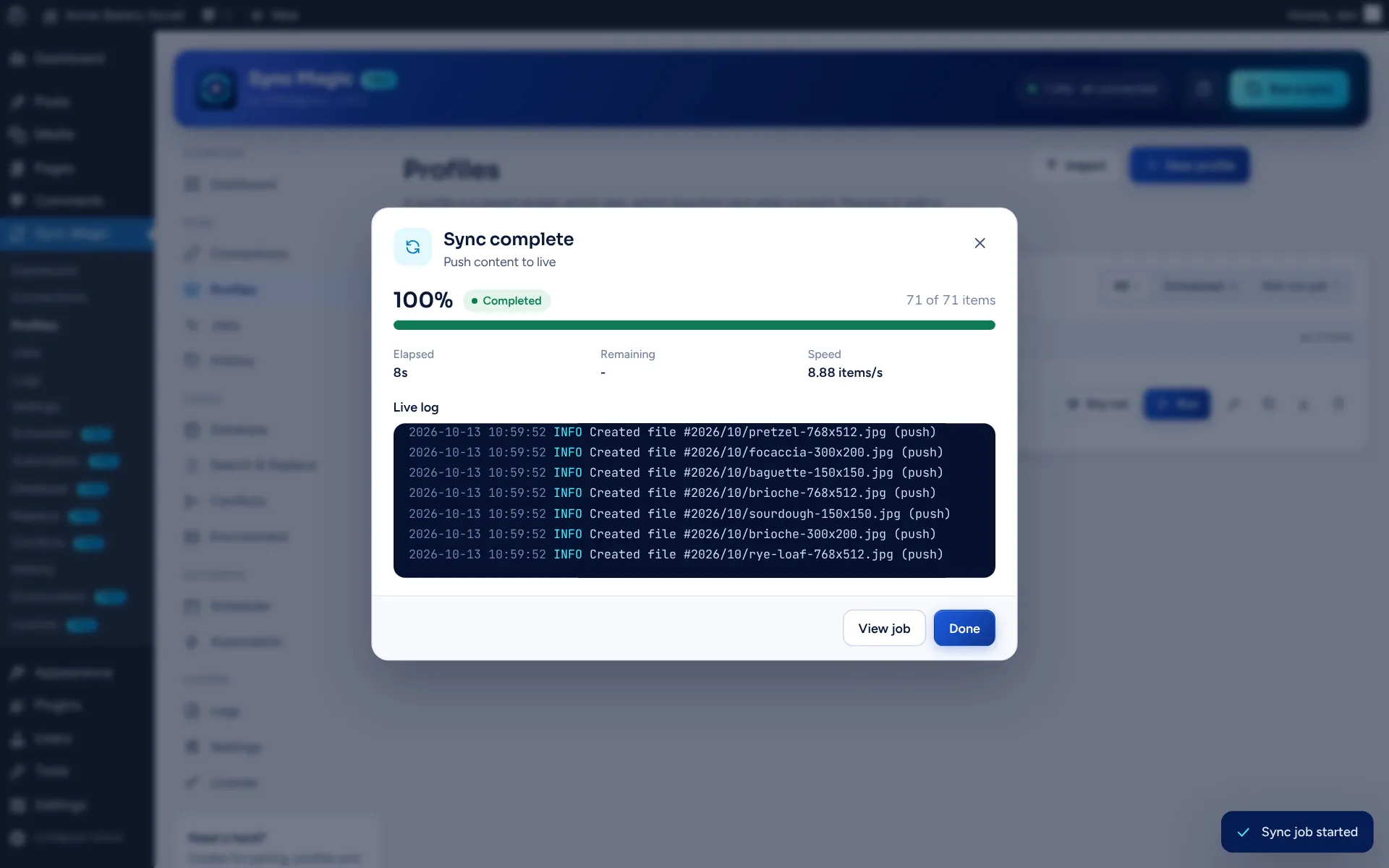
Example: a push from the staging site to the live site, 71 of 71 items synced in 8 seconds Example: a push from the staging site to the live site, 71 of 71 items synced in 8 seconds
Works with WordPress 6.2+ PHP 7.4+ Gutenberg & ACF Elementor WooCommerce & EDD (Pro) Runs without real cron

How it works

Pair once. Then sync
whenever you need to.

Every sync is a saved profile you can preview first. Run it by hand, on a schedule, or when something happens on the site.

Pair two sites

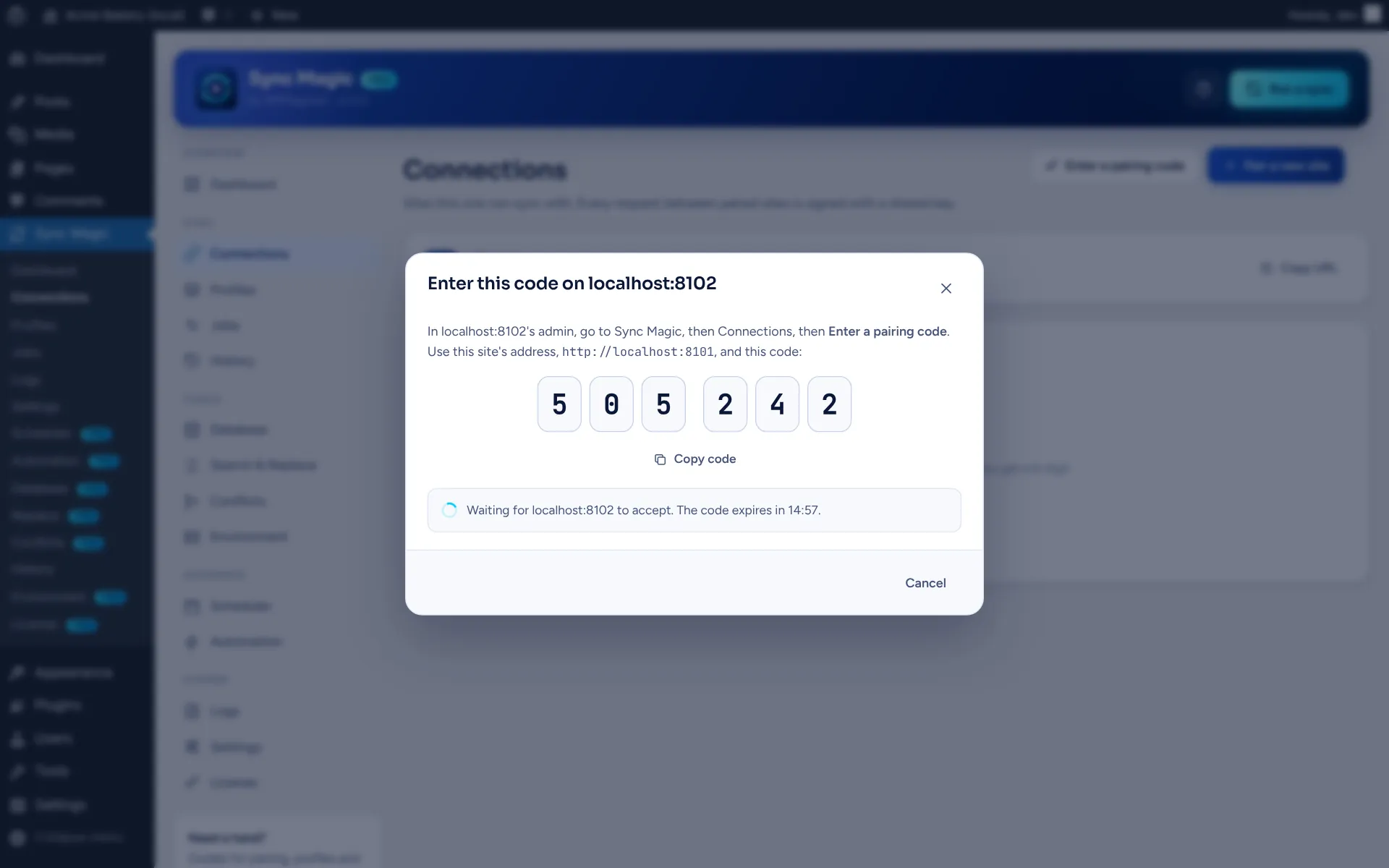
Enter the 6-digit code from one site on the other. Fresh keys are exchanged automatically.

Build a profile

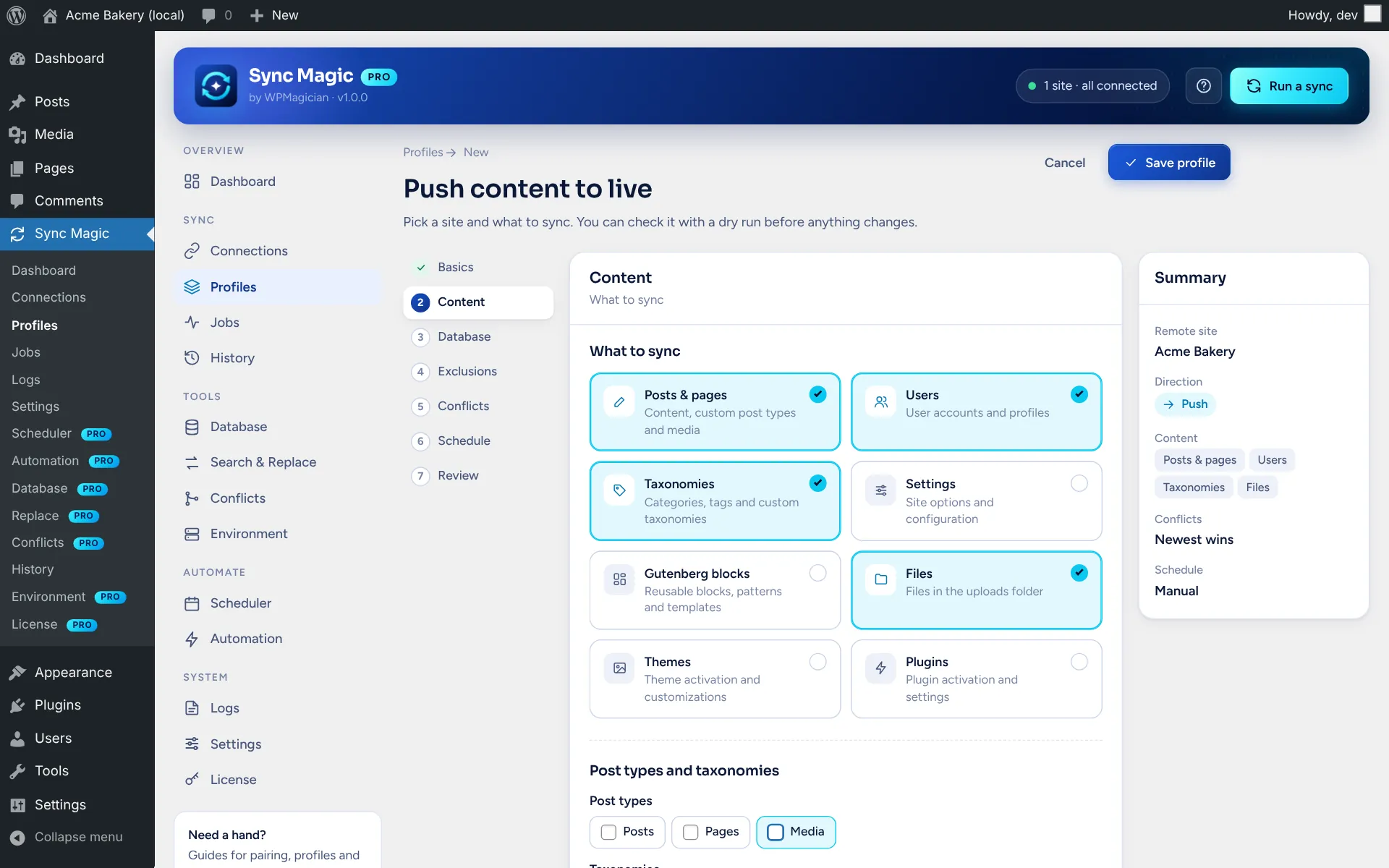
Pick what to copy, which way it goes, what to leave out and who wins a conflict.

Dry run

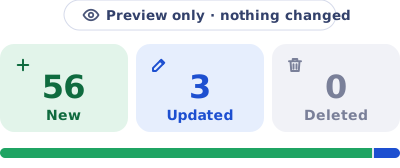
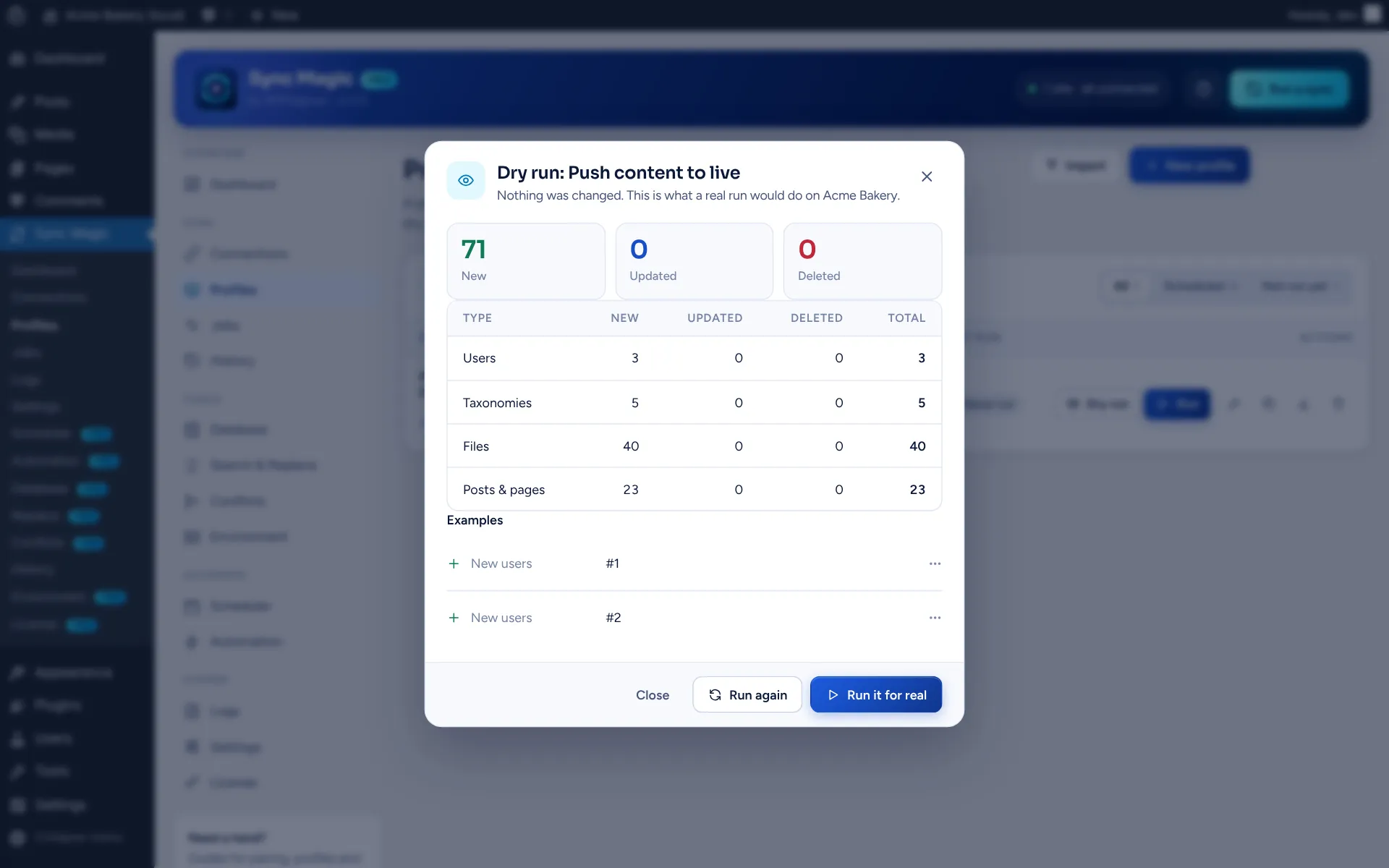
See exactly what would be created, updated or deleted before anything changes.

Sync

Changes move in small signed batches, and every job is logged.

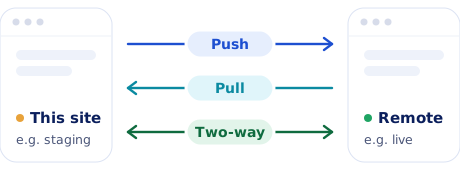
Push Pull Two-way

Features

Everything you need to move
content between sites.

The free plugin handles pairing, profiles and syncing every common content type. Pro adds safety nets, automation and deeper tools.

13

content types

3

directions

0

passwords shared

Pairing and security

Pair with a one-time code instead of passwords or API keys. Every request between the sites is signed with HMAC-SHA256, expires after 5 minutes and can’t be replayed. Keys are encrypted at rest, and each connection has its own permissions for posts, media, users, settings, themes and plugins.

Profiles you can reuse

A 7-step editor saves which site, which direction, what to include and exclude (IDs, statuses, meta keys, file types and sizes, roles) and who wins a conflict: newest, this site, the other site, or you decide. Duplicate, export and import profiles as JSON.

Every common content type

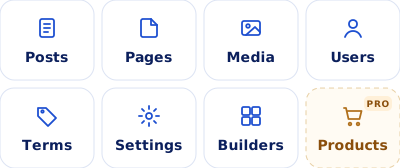
Posts with their meta, terms and featured images, users with roles, options, uploads, Gutenberg templates and global styles, ACF field groups and Elementor templates. Items go in dependency order so authors, parents and images resolve first time.

Large files, safely

Media moves in 5 MB chunks with a hash per chunk and per file, and uploads resume for 24 hours. A file the other site already has isn’t sent again, and attachments bring every image size with them.

Links and IDs fixed

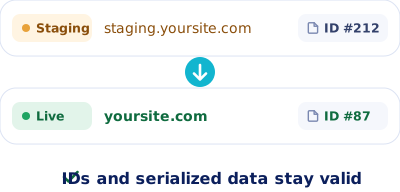
Site URLs are rewritten in content and meta, in plain, slashed, encoded and JSON forms, and serialized values stay valid. Sync Magic remembers which post, term and user matches which on the other site, so relationships survive.

Dry run first

A preview uses the same comparison as a real sync, so it lists only what would really change, with a breakdown per content type, samples and warnings.

Background batches

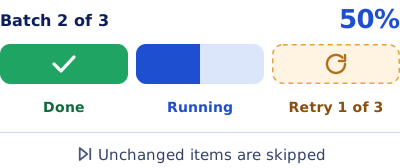
Each item is hashed on both sites and unchanged ones are skipped. Jobs run in batches with live progress, retry up to 3 times, pause and resume, and keep moving even when WP-Cron is off.

Jobs, history and logs

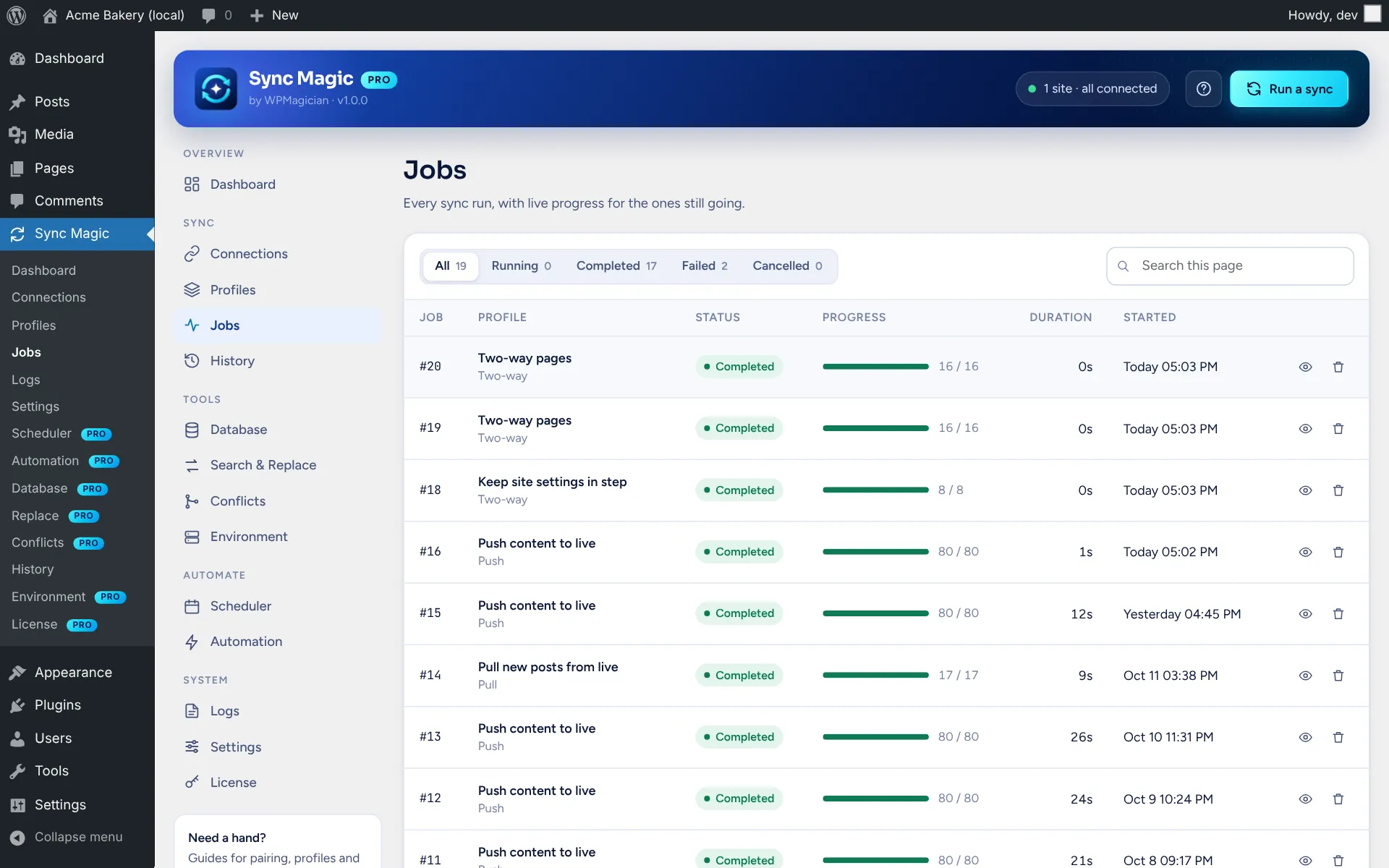
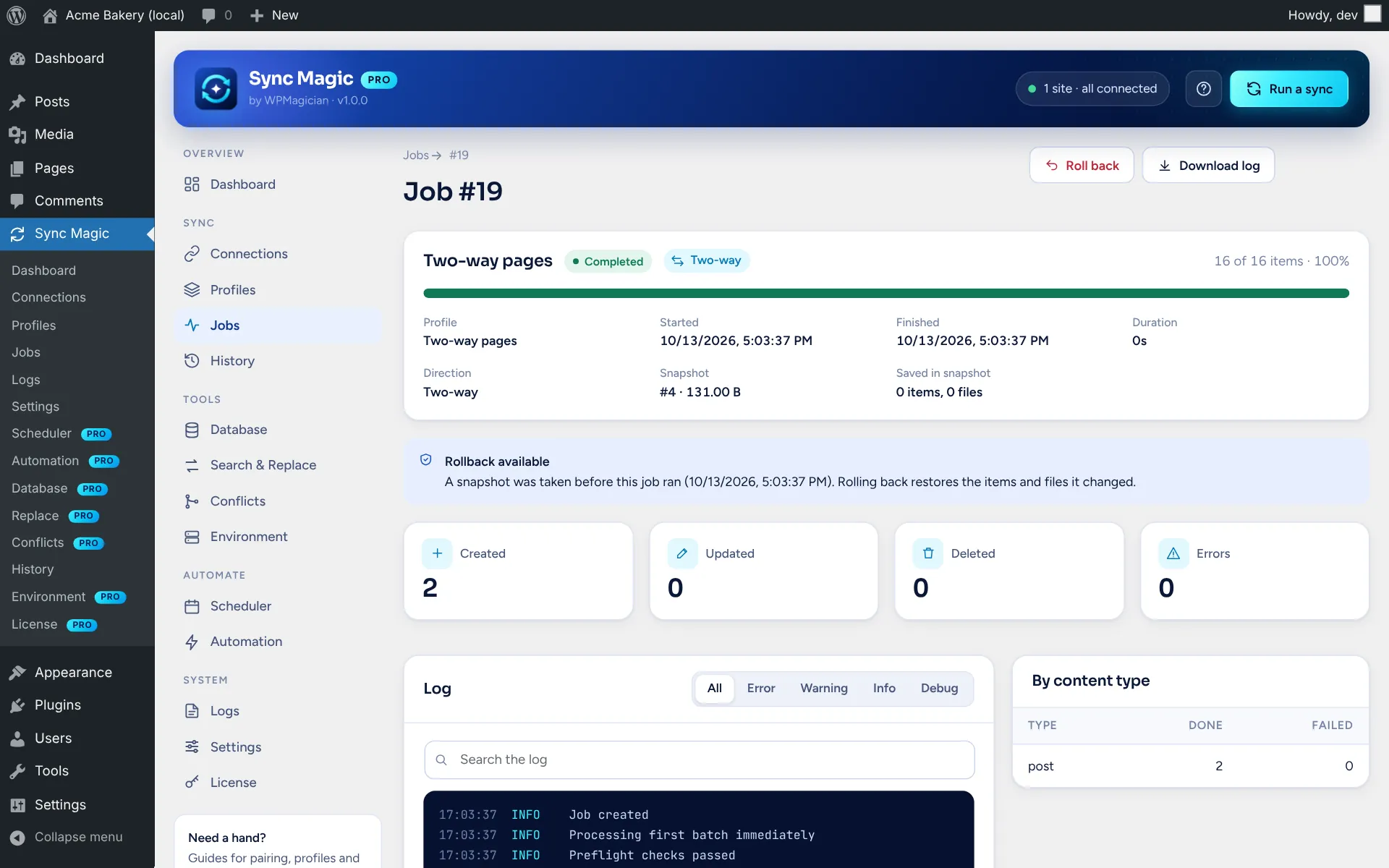
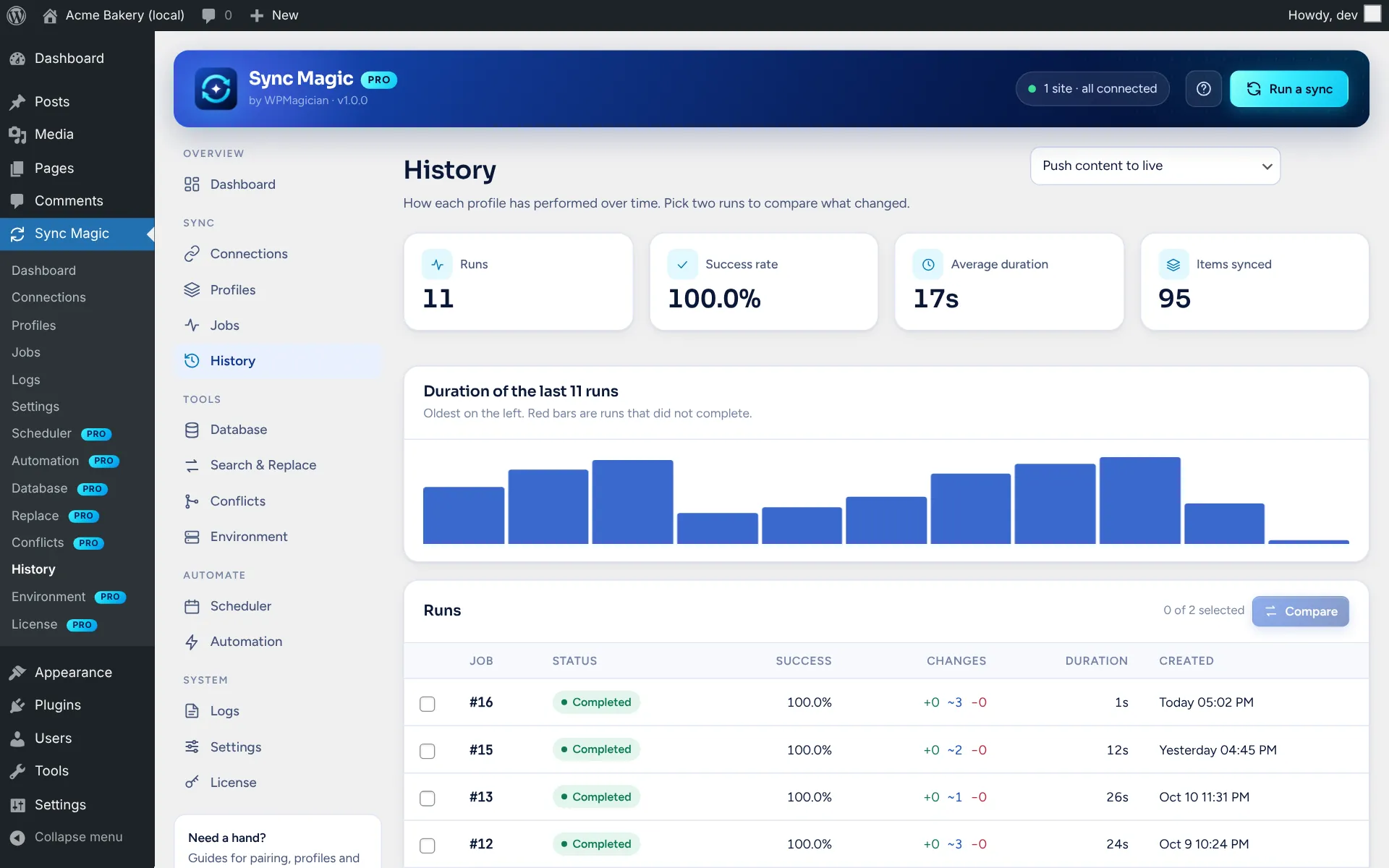
Every run is a job with stats and a log. History shows each profile’s success rate and duration and compares two runs side by side. Get an email when a job finishes or fails.

Snapshots and rollback

PRO

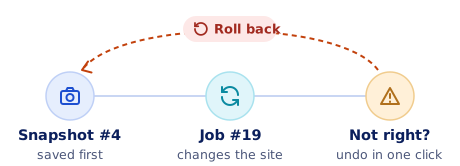
Before a sync changes this site, or a push changes the other one, the content it will overwrite is saved. Roll back restores posts, terms, users, options and files, deletes what the sync created, and tells the sending site so it sends those items again next time.

Conflict review

PRO

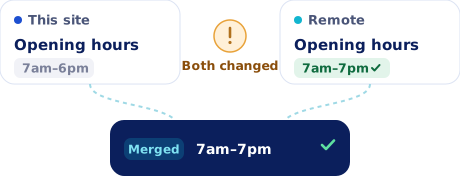
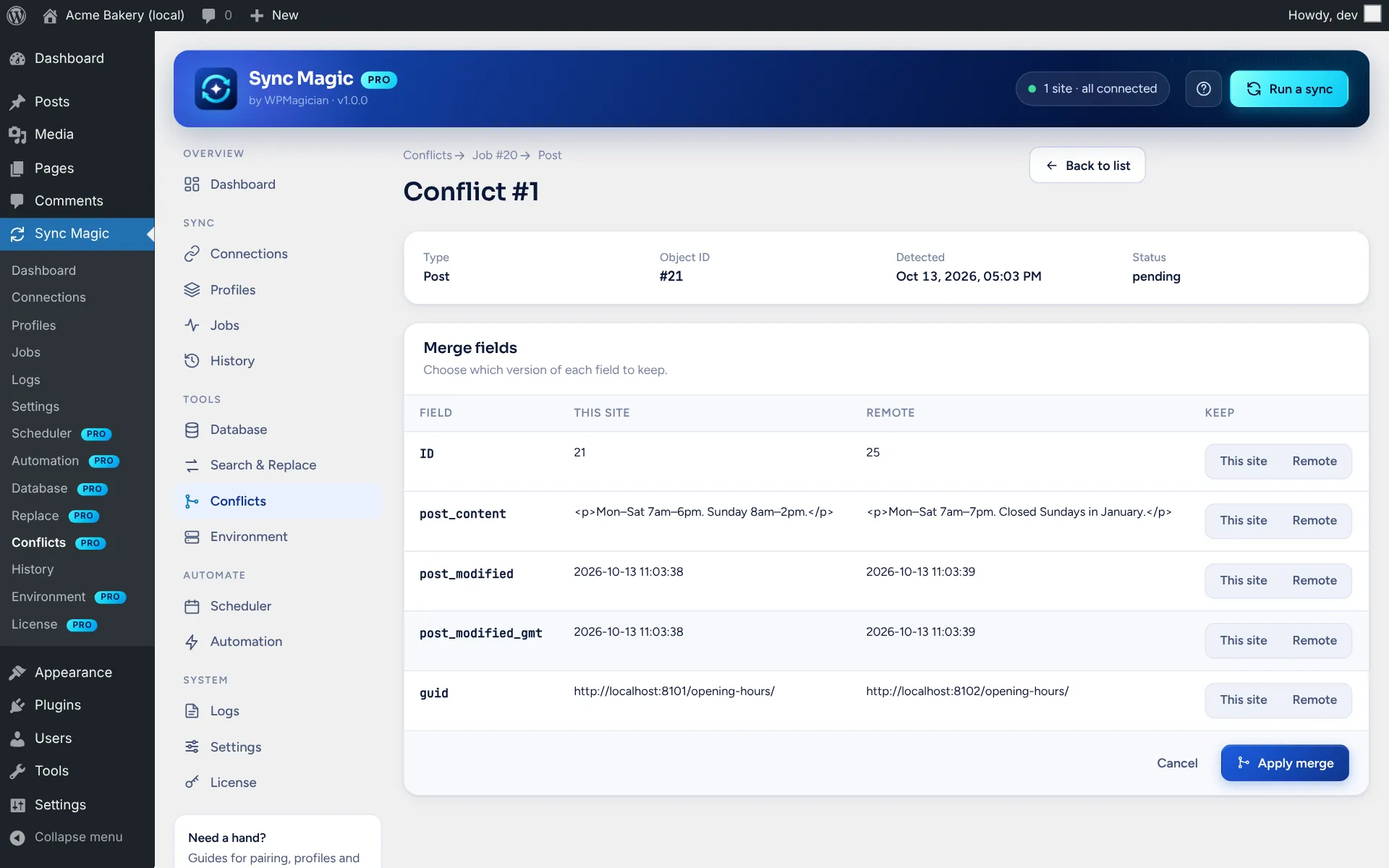
With the “manual” policy, items changed on both sites during a two-way sync are held back with both copies. Keep this site’s, keep the remote, merge field by field, or resolve a whole job at once.

Schedules and automation

PRO

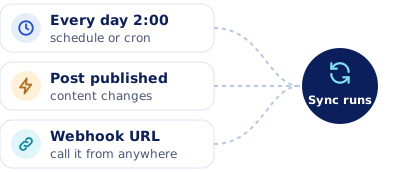
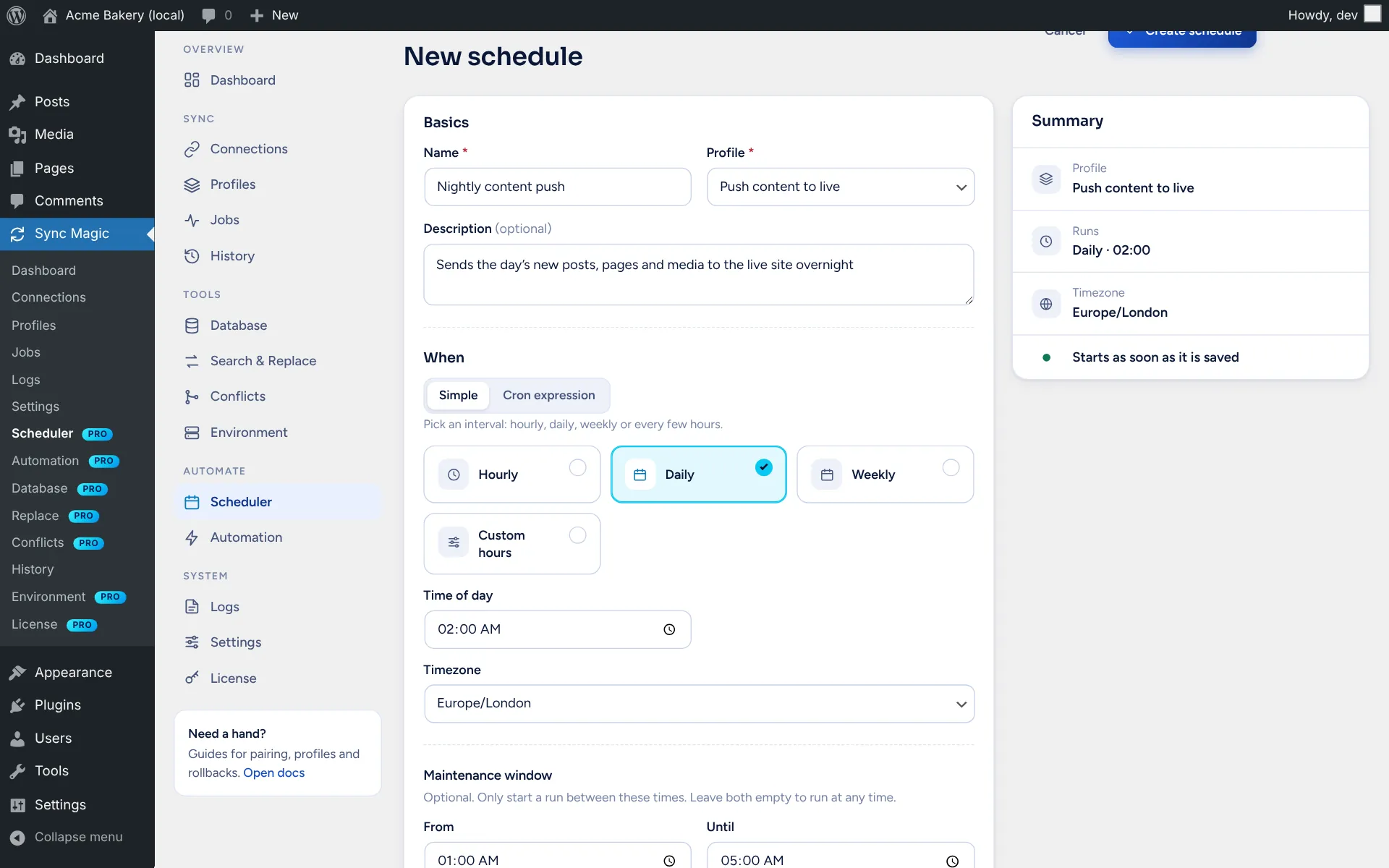
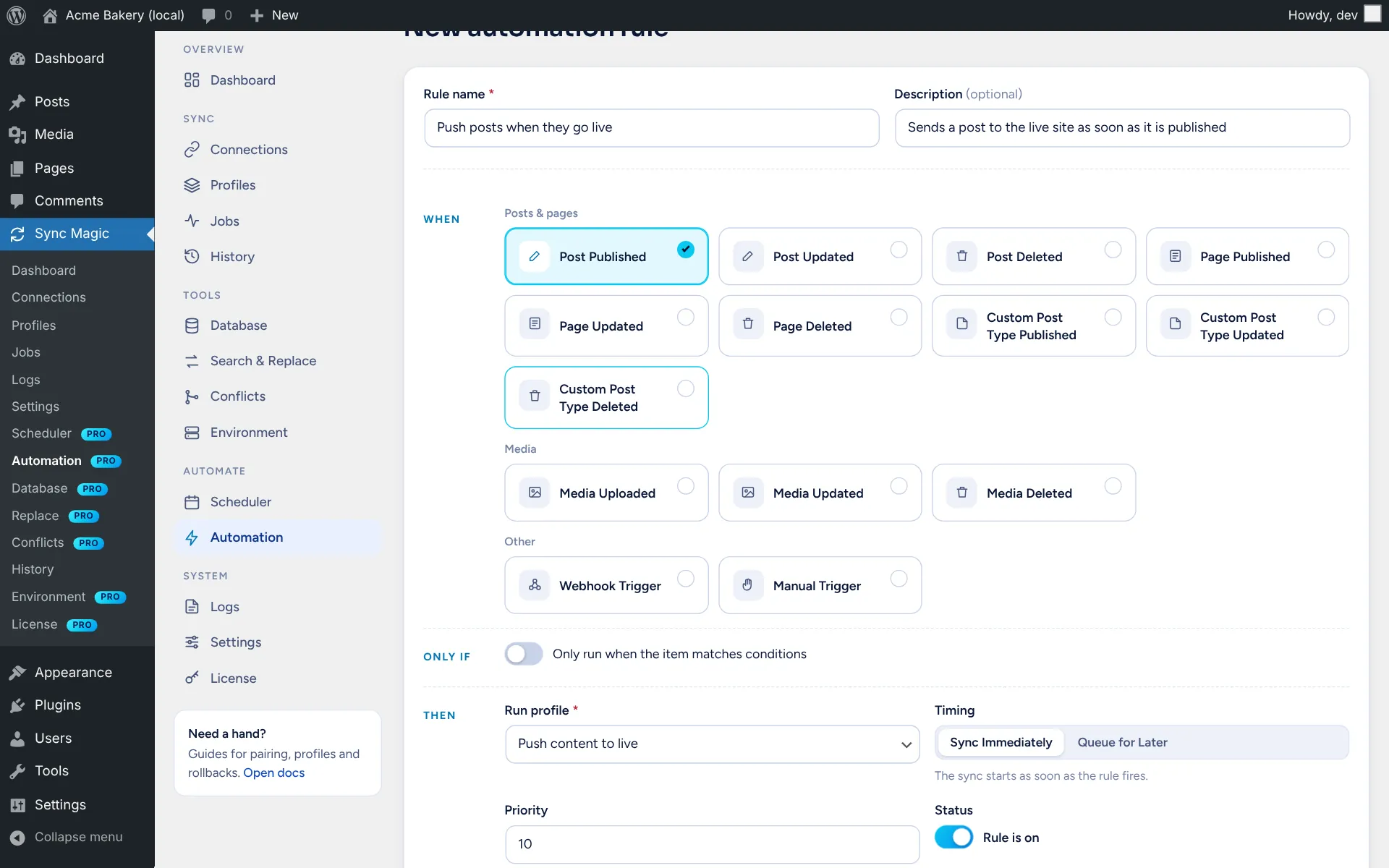
Run profiles on a cron expression or simple schedule with a maintenance window, start them from a secret webhook URL, or trigger them when posts, pages, media or WooCommerce orders change.

Search and replace

PRO

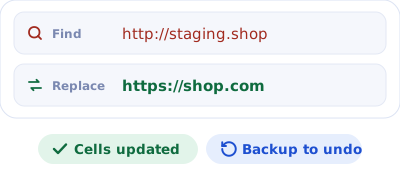
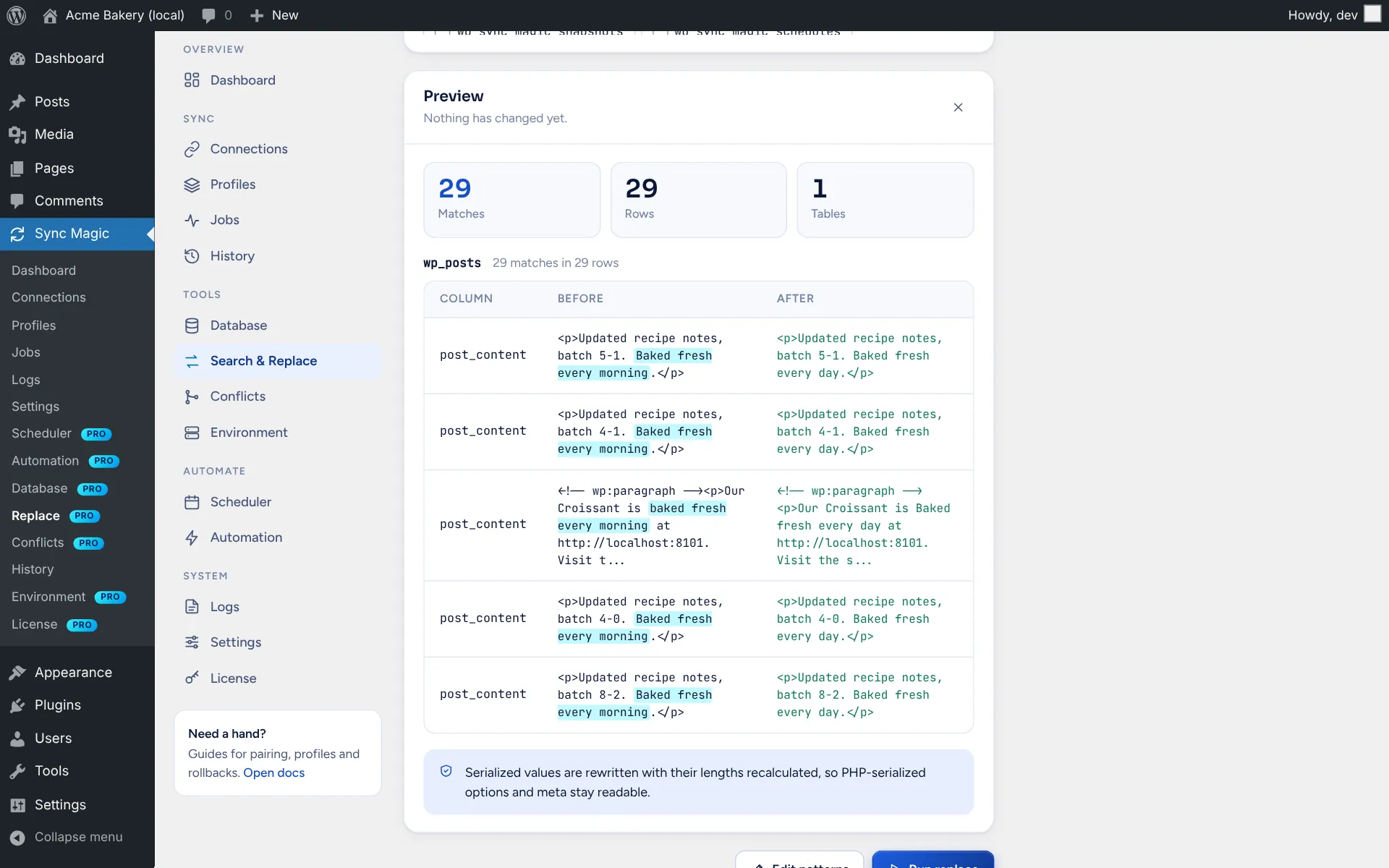
Any table, many patterns, case-sensitive and regular expressions, safe with serialized, JSON and base64 data. Every changed cell is backed up so a run can be rolled back exactly.

Database tools

PRO

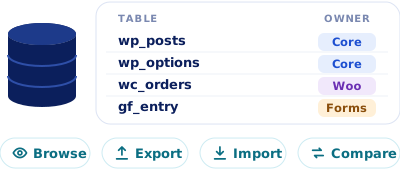
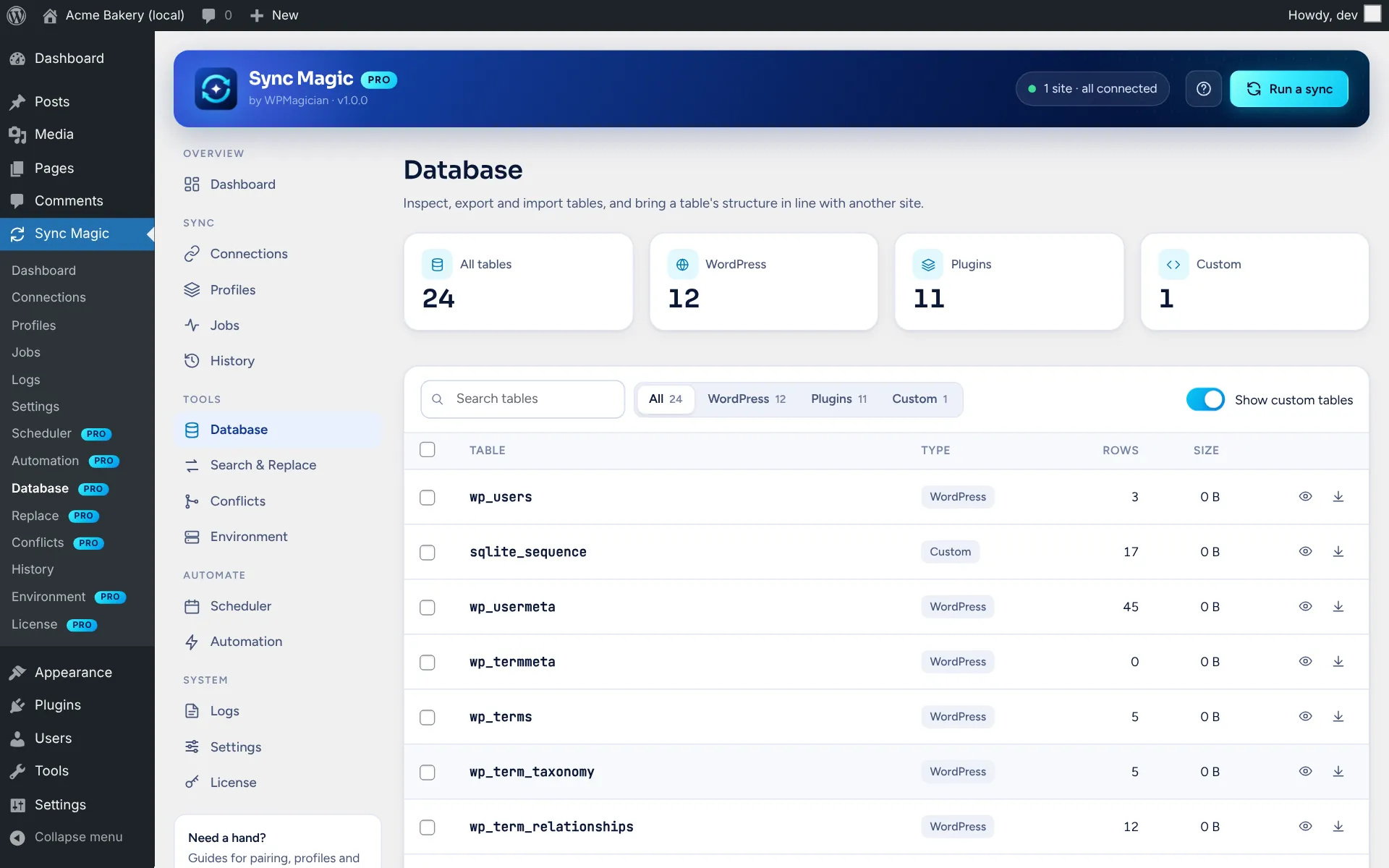
Browse every table with its owner, structure, indexes and rows, export and import rows, and bring a table’s structure in line with another site, previewing the SQL first.

WooCommerce and Easy Digital Downloads

PRO

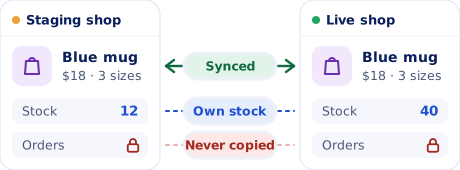
Full products with prices, stock, images, attributes and variations, matched by SKU and remapped on the other site, in both directions. A stock guard keeps each site’s stock, and orders, payment settings and customer data are never copied. EDD downloads work the same way.

Environment tools

PRO

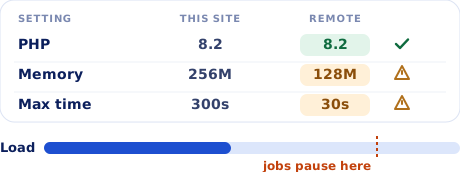
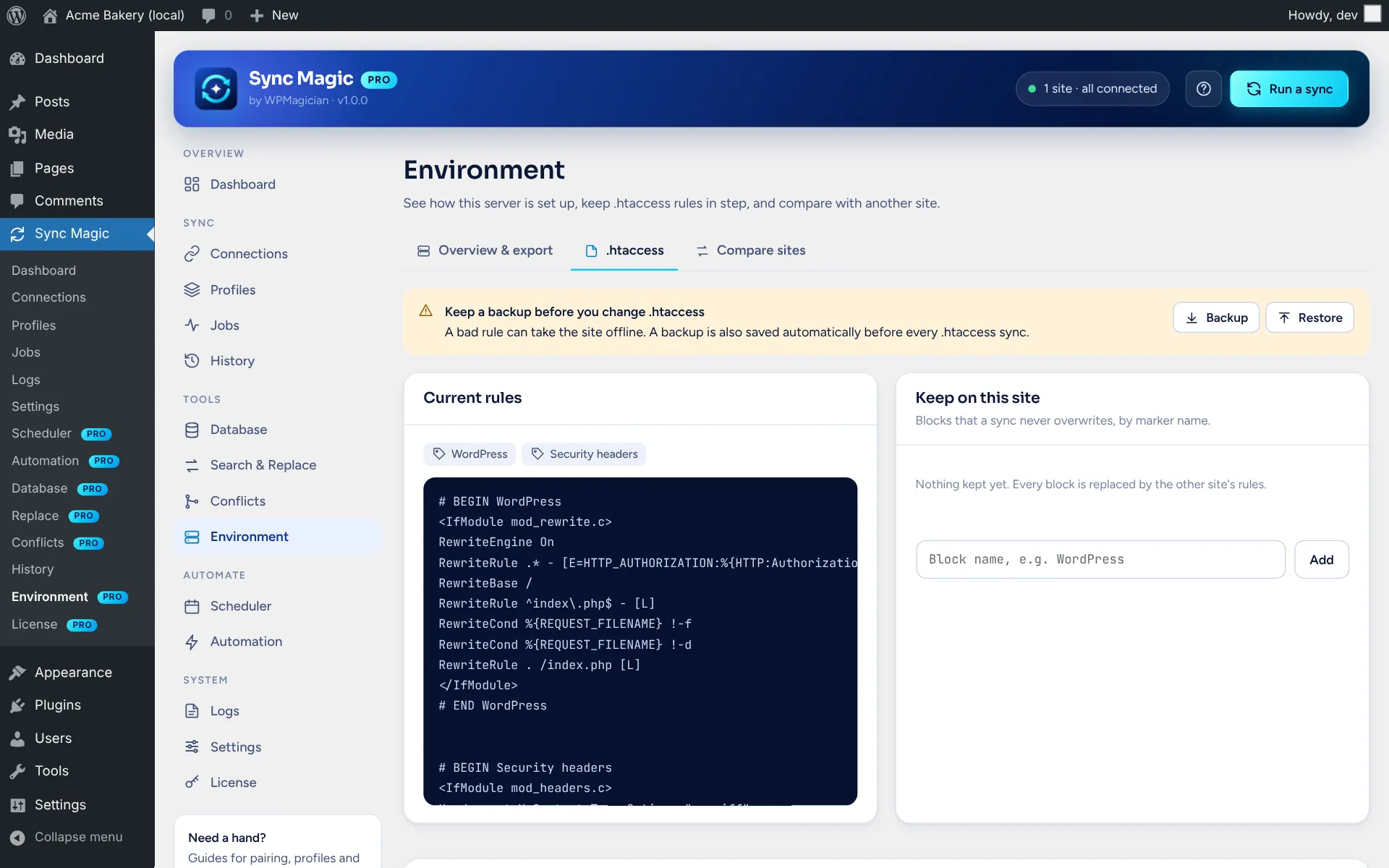
Compare constants, PHP and server settings with another site, get recommendations for large syncs, and merge .htaccess sections with a backup first. Secrets are redacted in every export. Jobs pause when CPU or memory runs high.
Built to be safe

No passwords or API keys are typed in or shared. Keys are generated for each pair and encrypted at rest.

Each connection only gets the permissions you allow. Themes, plugins, Elementor and WooCommerce are off until you turn them on.

Protected options like site address, active plugins, salts and keys are never synced, and files stay inside the uploads folder.

Orders, payments, customers and payment gateway settings are never copied.

Honest about its limits

Themes and plugins sync their settings and active state, not their files. Install them on both sites first.
A job where some items failed still finishes as “completed”. The failed count and reasons are in its stats and log.

WooCommerce variations deleted on one site aren’t deleted on the other yet.

Database structure sync works from a pasted CREATE TABLE statement. It doesn’t change foreign keys or table engines.

Take the tour

See Sync Magic
inside wp-admin.

Fifteen screens from Sync Magic and Sync Magic Pro 1.0.0, from pairing to rollback. Screenshots from two demo sites.

yoursite.com/wp-admin
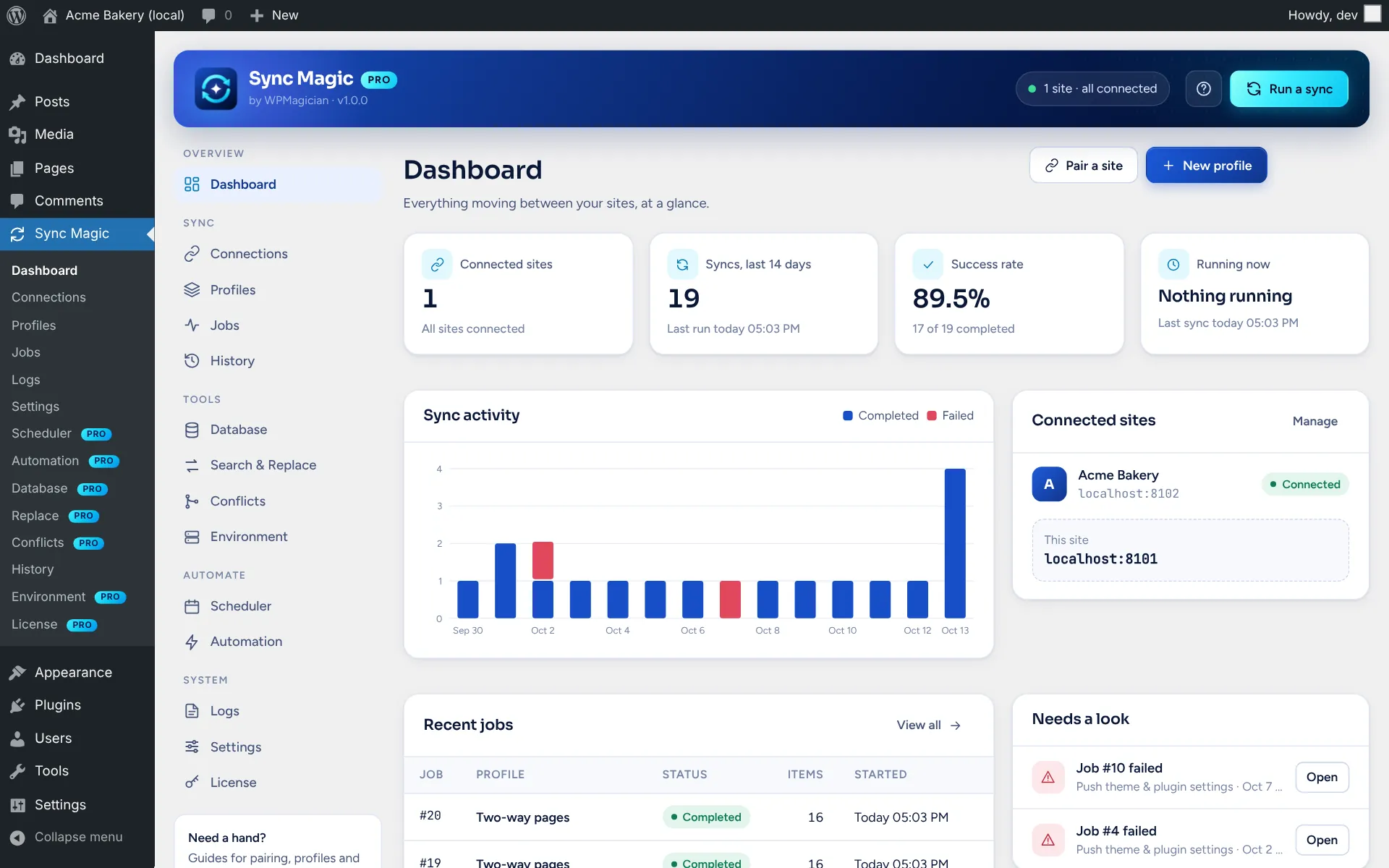
Sync Magic screenshot: Dashboard

01 / 15

Dashboard

Connected sites, syncs in the last 14 days, success rate and what’s running now, with an activity chart, recent jobs and a “Needs a look” list.

Pricing

Start free. Go Pro when you need more.

Sync Magic is in early access. Request a spot to try it before public launch.

Free

$0

Pair sites and sync content by hand.

Pairing, signed requests and per-connection permissions

Push, pull and two-way profiles with dry run

Posts, media, users, terms, options, Gutenberg, ACF and Elementor

Background batches, history, logs and email notices

URL search and replace

Request early access

Hands-off syncing

Pro

$60

/year

For sites that sync often or sell online.

Everything in Free

Snapshots and one-click rollback

Conflict review with field-by-field merge

Schedules, webhooks and automation rules

Database, search and replace and environment tools

WooCommerce products and Easy Digital Downloads

Request early access

Compare

Free vs Pro

Feature

Free

Pro

Site pairing, signed requests and permissions

Push, pull and two-way profiles, dry run

Posts, pages, users, terms, options, media and files

Gutenberg, ACF and Elementor

Theme and plugin settings (not their files)

Background batches, live progress and retries

History, logs and email notices

Database view

3 core tables

Every table, import, export, structure sync

Search and replace

URL replace

Any table, many patterns, regex, rollback

Snapshots and rollback

—

Conflict review and field-by-field merge

—

Schedules, webhooks and automation rules

—

Environment compare and .htaccess sync

—

WooCommerce

Basic push

Full products, push and pull, stock guard

Easy Digital Downloads

—

Early access

Request early access

Leave your details and we’ll email you when your spot is ready.

Thanks! You’re on the list. We’ll email you when your spot is ready.

Questions

Before you install

Do both sites need Sync Magic?

Yes. Install and activate it on both sites, make sure the REST API is reachable, then pair them with the 6-digit code. HTTPS is recommended. Pro needs the free plugin installed alongside it.

Will it overwrite my live site by accident?

Run a dry run first: it shows exactly what would be created, updated or deleted. Exclusions keep chosen posts, meta, options and files out of a sync, and with Pro a snapshot is taken before changes so you can roll back.

Does it copy themes and plugins?

It copies their settings and active state, not their files, so install them on both sites first. Theme and plugin permissions are off for a new connection; turn them on in the receiving site’s connection settings.

What about WooCommerce orders and stock?

Orders, refunds, subscriptions, payment settings and customer data are never synced. With Pro, products sync in both directions, and the stock guard can keep each site’s own stock levels.

Does it work if WP-Cron is disabled?

Yes for syncs you start by hand: while the progress window is open it drives the next batch itself. It uses Action Scheduler when available, otherwise WP-Cron. Scheduled syncs need some form of cron.

Preview it first.
Then sync.

Request early access, pair your staging and live sites, and run your first dry run in a few minutes.

Every plugin is free to start. See all plugins