Admin Pilot for WordPress
Free · every module included

A calmer wp-admin for clients. Full control for you.

Admin Pilot gives every client a focused admin: no plugin nags, only the menus and widgets they need, a branded login on its own address. Your team still sees everything, gets an email when something changes, and can never be locked out.

10

modules, each off until you switch it on

15

wp-config.php kill switches

0

custom database tables

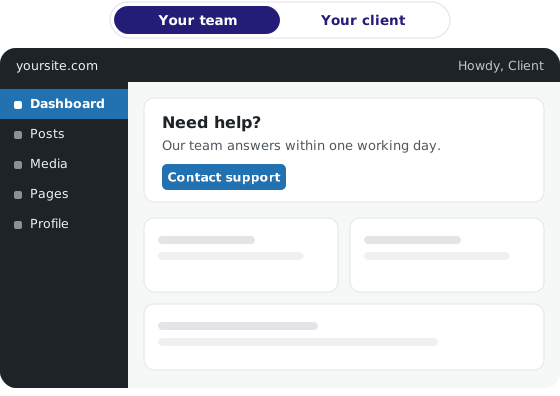
Admin Pilot shows your team the full wp-admin and your client a calmer, focused one
Works with WordPress 6.0+ PHP 7.4+ Any theme WP-CLI Staging on WP Engine, Kinsta, Pantheon & InstaWP

How it works

Two kinds of user.
One simple rule.

Your team is recognised by email address. Everyone else gets only the restrictions you switch on, role by role.

Your team (agency users)

Always see and can do everything. Listed by exact address or whole domain in wp-config.php, never in the database, so a client administrator can’t add themselves or remove you.

define( 'ADMIN_PILOT_AGENCY_EMAILS',
'*@youragency.com, [email protected]' );

Every notice, including the ones held back from clients

Every menu, widget and admin bar item, plus the Admin Pilot screens

Change emails, the activity log and the environment badge

Your clients (everyone else)

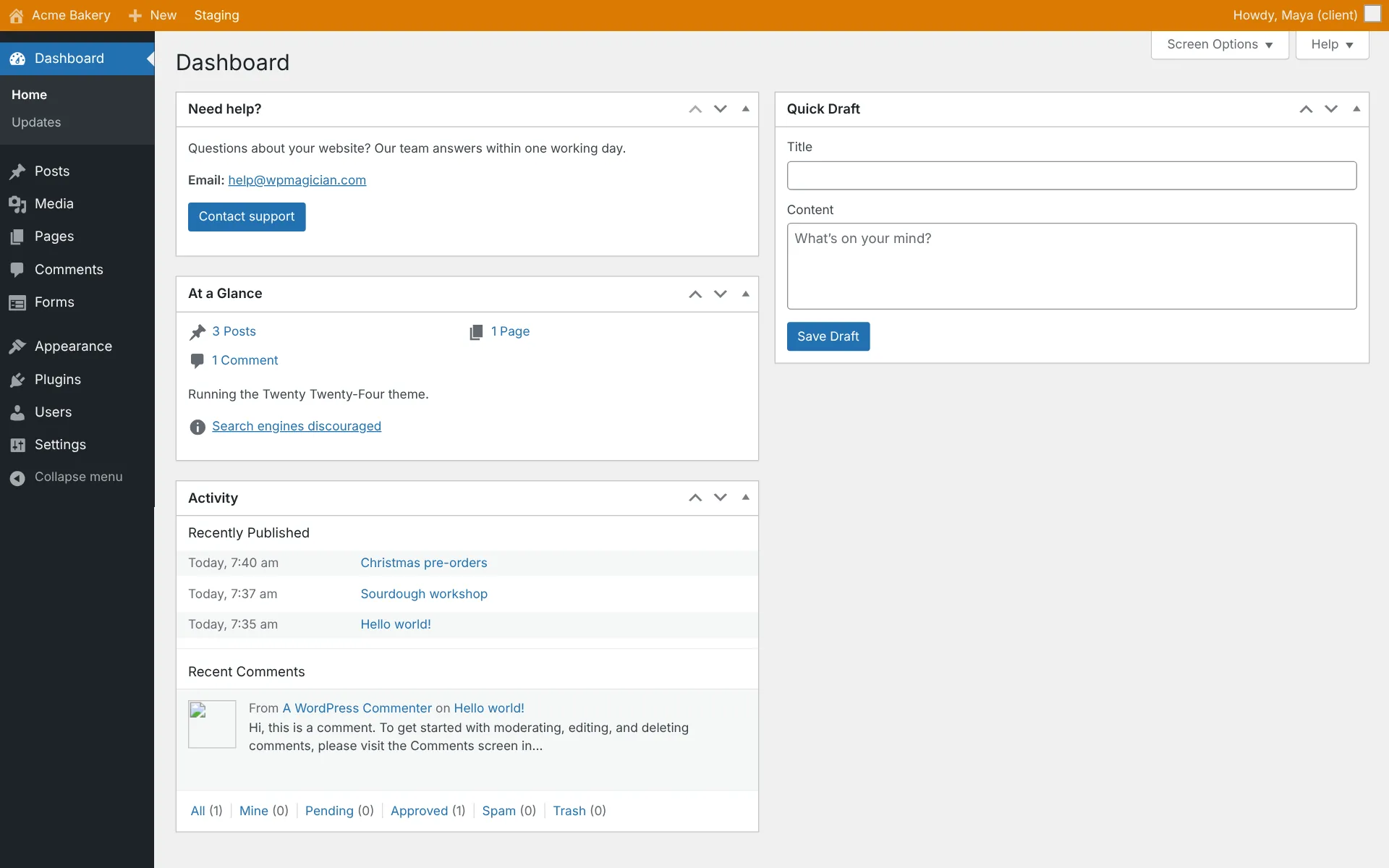
Get whatever you switch on, per role. Editors, shop managers and even client administrators see a focused admin without the noise, and can’t touch your accounts.

1

Pick a module

Notices, Menus, Login…

2

Set it per role

Preview before you save

3

Copy it to every client

Export once, import anywhere

Features

Ten modules. Use one,
or all of them.

Every module is off until you switch it on and has its own kill switch. Your team is never restricted by any of them.

10

modules

15

kill switches

16

developer hooks

Notices

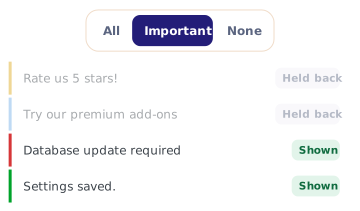
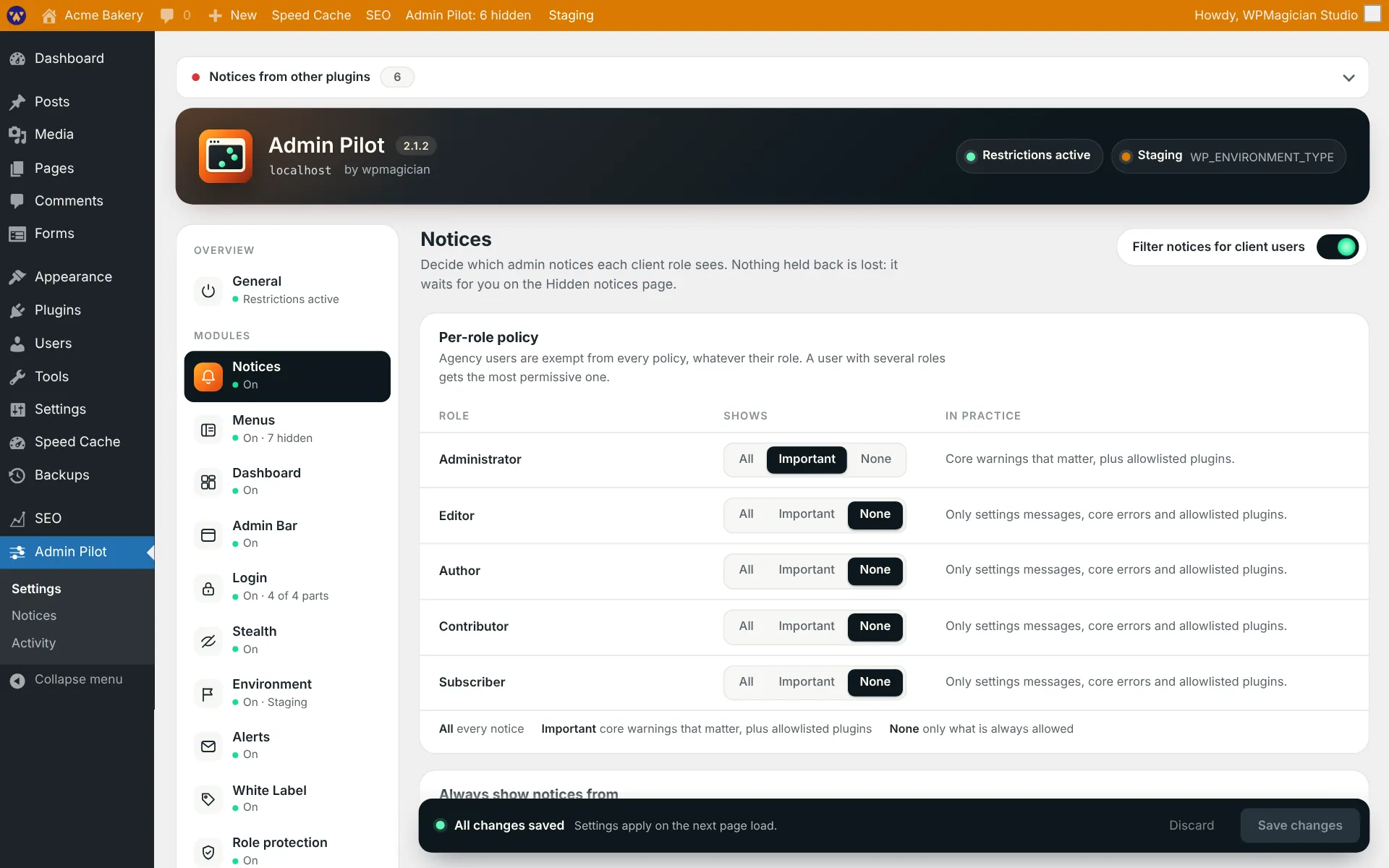
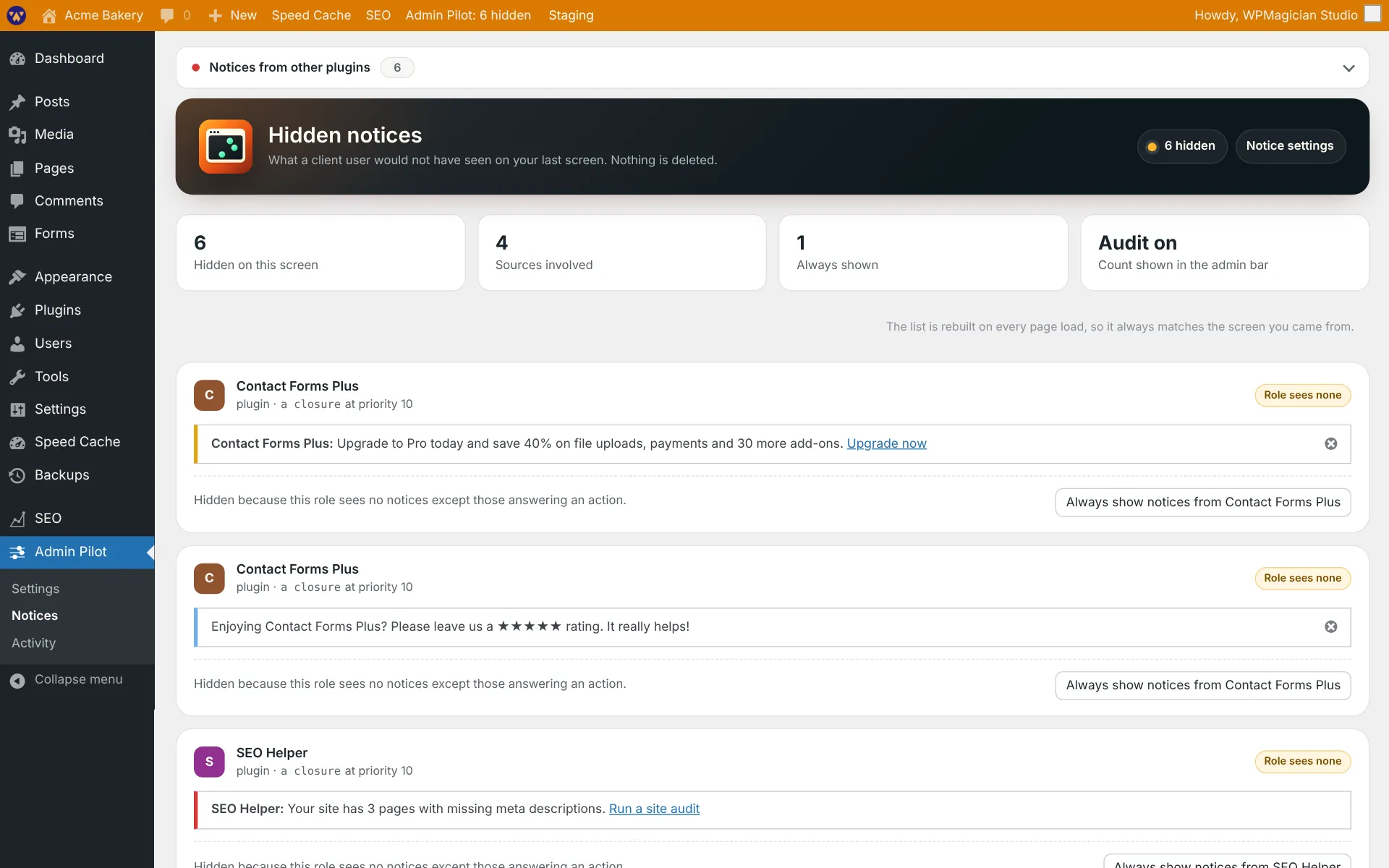
Choose per role: All, Important or None. Promo banners and plugin nags disappear for clients, while errors and “Settings saved.” always get through. Nothing is lost: the Hidden notices page shows every held-back notice, its source and a one-click “Always show notices from this plugin”.

Menus

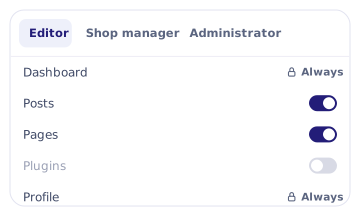
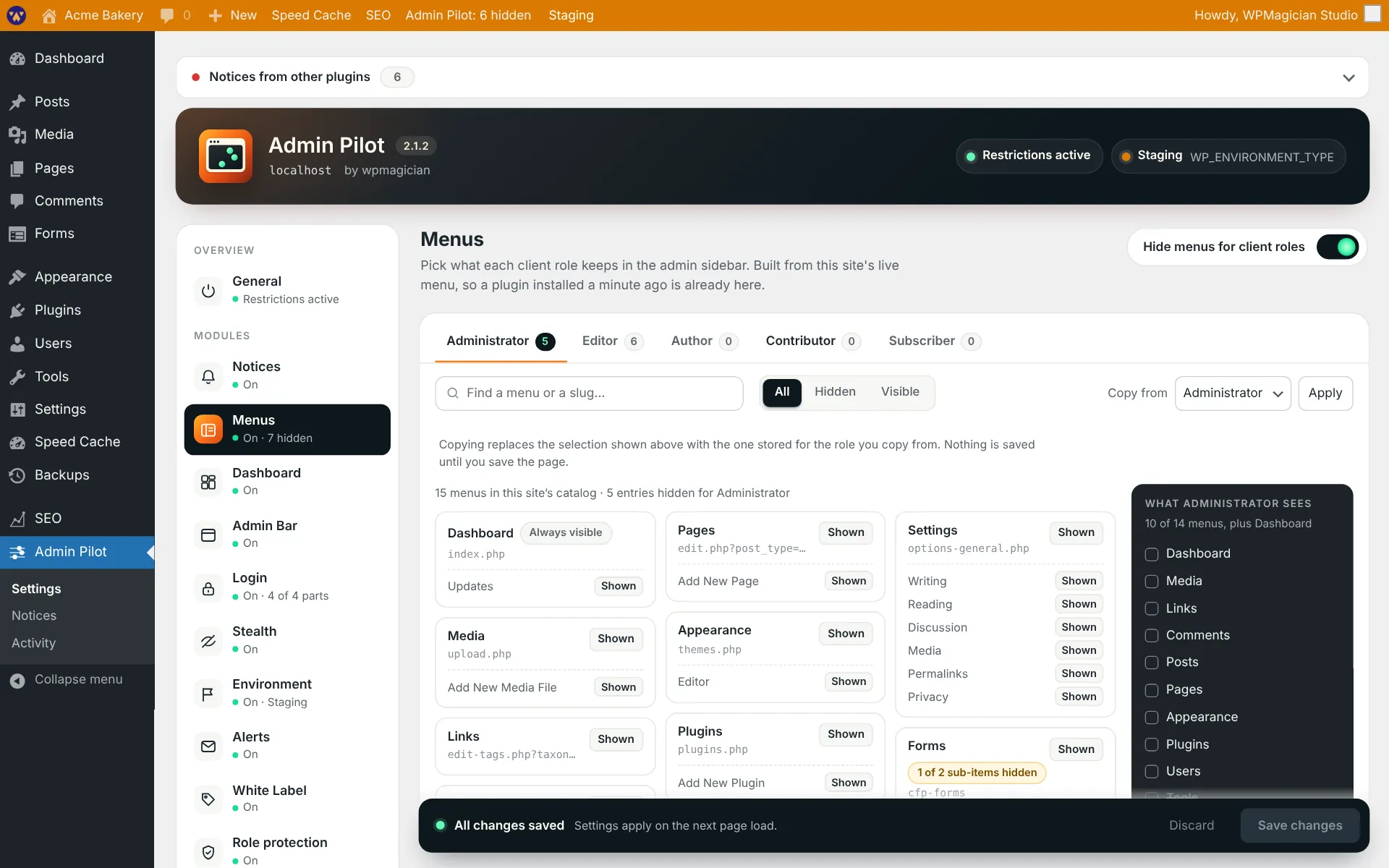
Hide admin menus and sub-menus per role from a live picker of the site’s real menu, with search and a “What this role sees” preview. Optionally refuse hidden pages opened by URL too. Dashboard and Profile can never be hidden, and no role can be left with an empty menu.

Admin bar

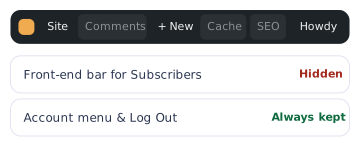
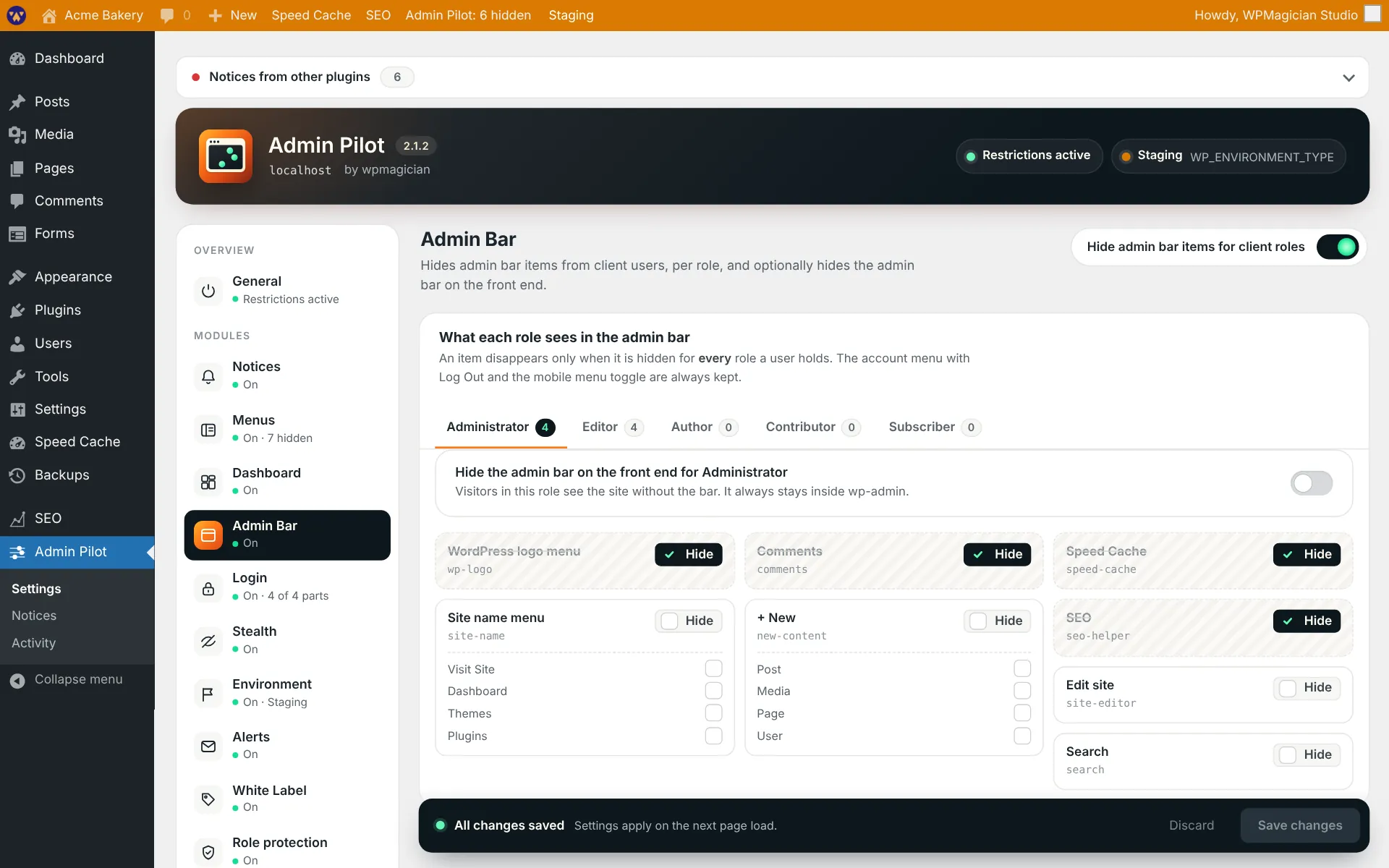
Hide admin bar items per role, from a catalog built as your team browses, and hide the whole bar on the front end for chosen roles. The account menu and Log Out always stay.

Dashboard

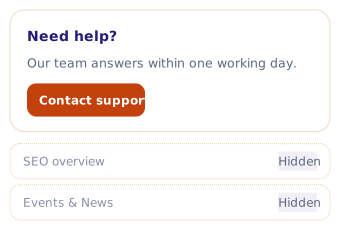
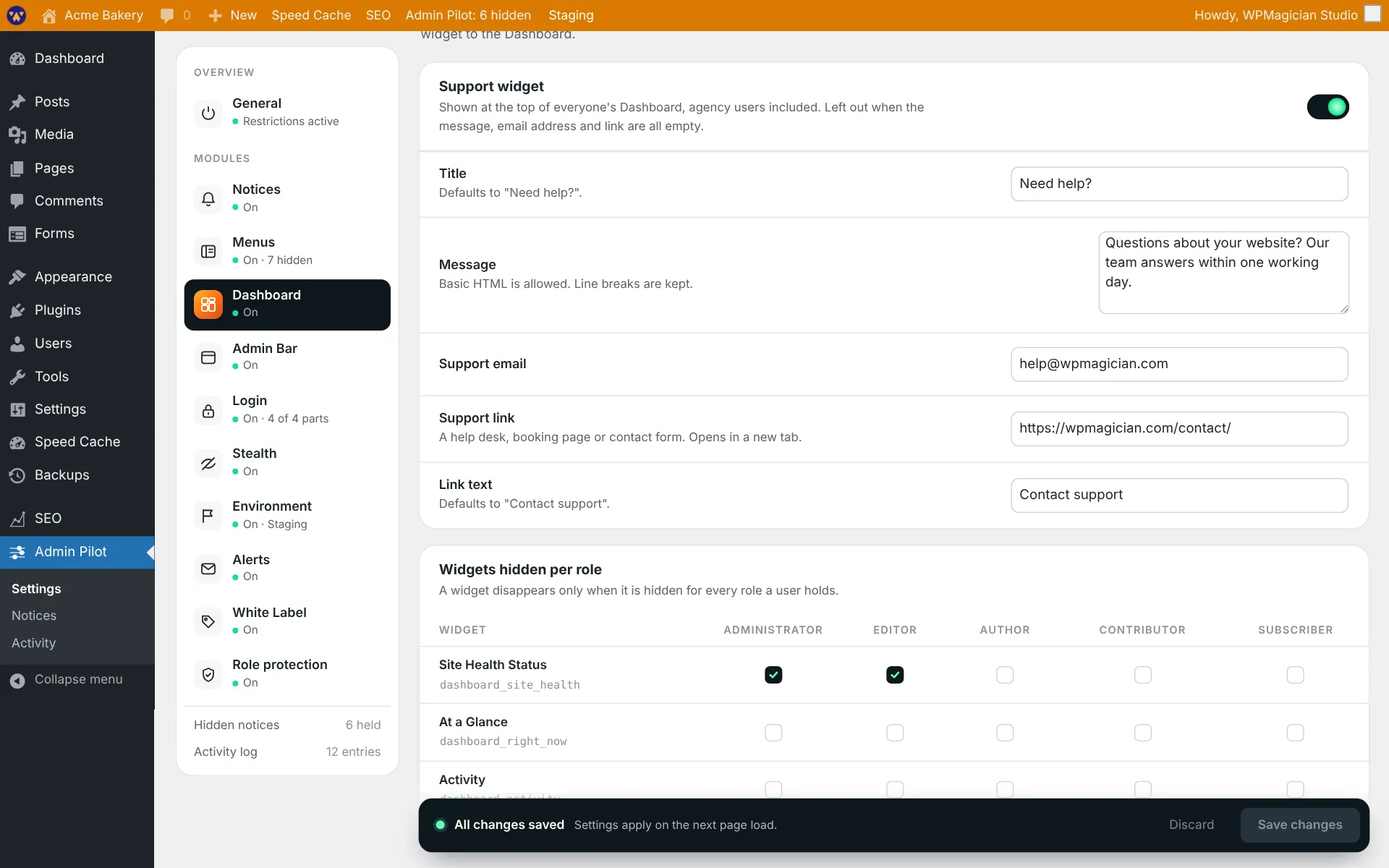
Hide Dashboard widgets per role in one table, and add a support widget with your title, message, email and a button to your help desk.

White label

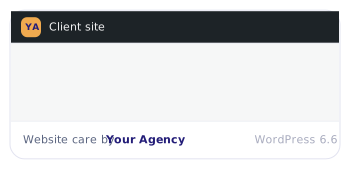
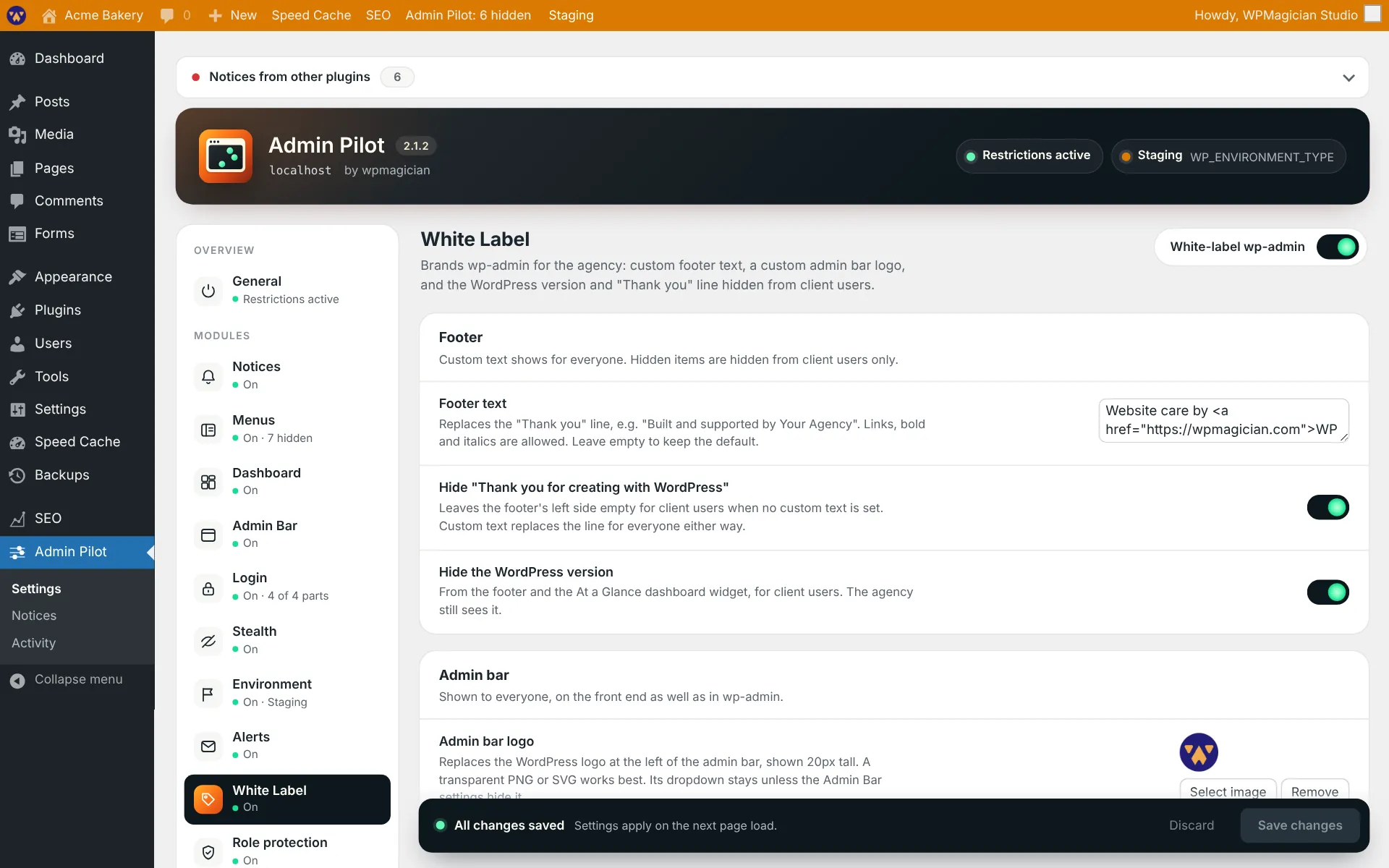
Your footer text in place of “Thank you for creating with WordPress”, your logo in place of the WordPress logo in the admin bar, and the WordPress version hidden from clients.
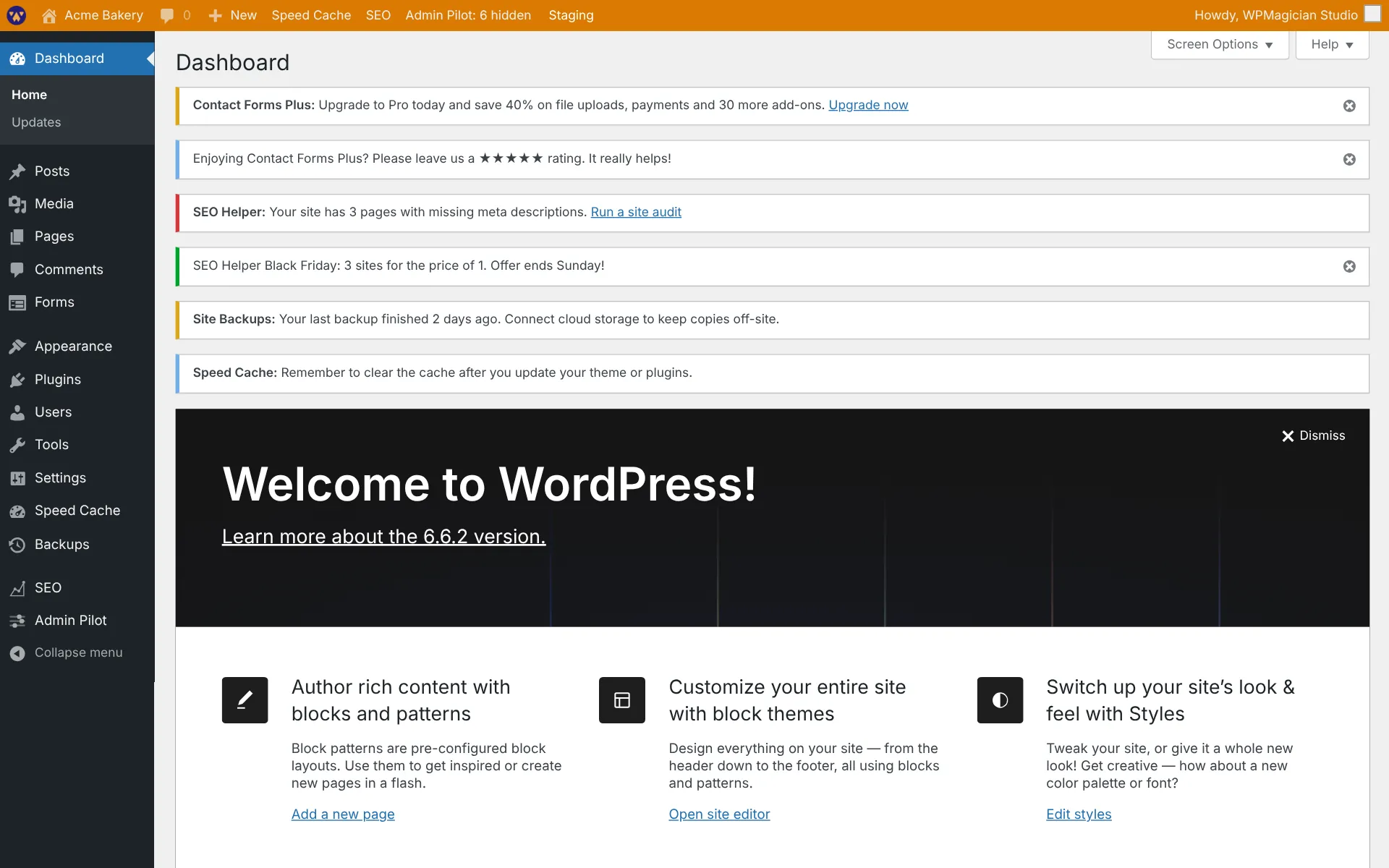
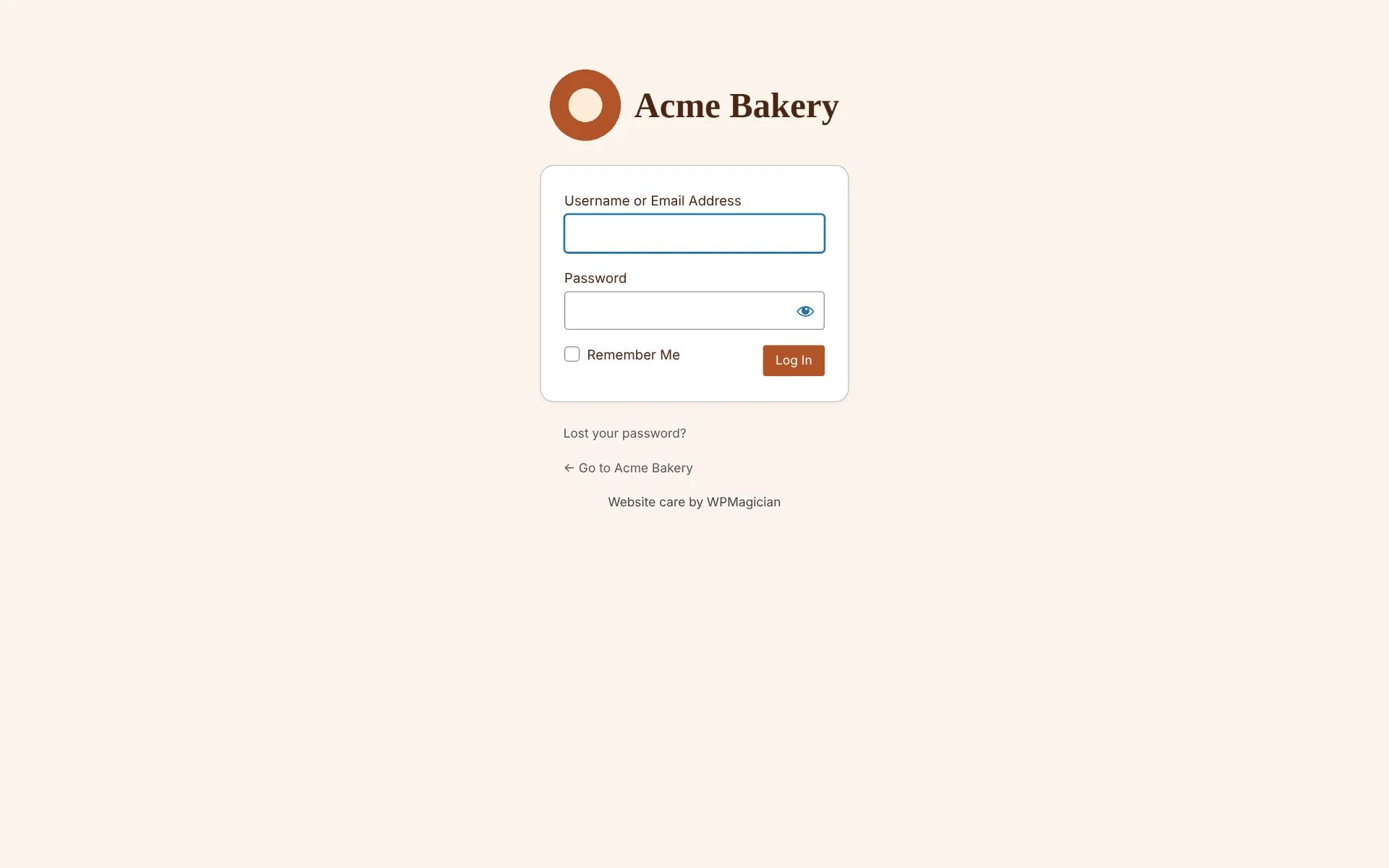
Branded login

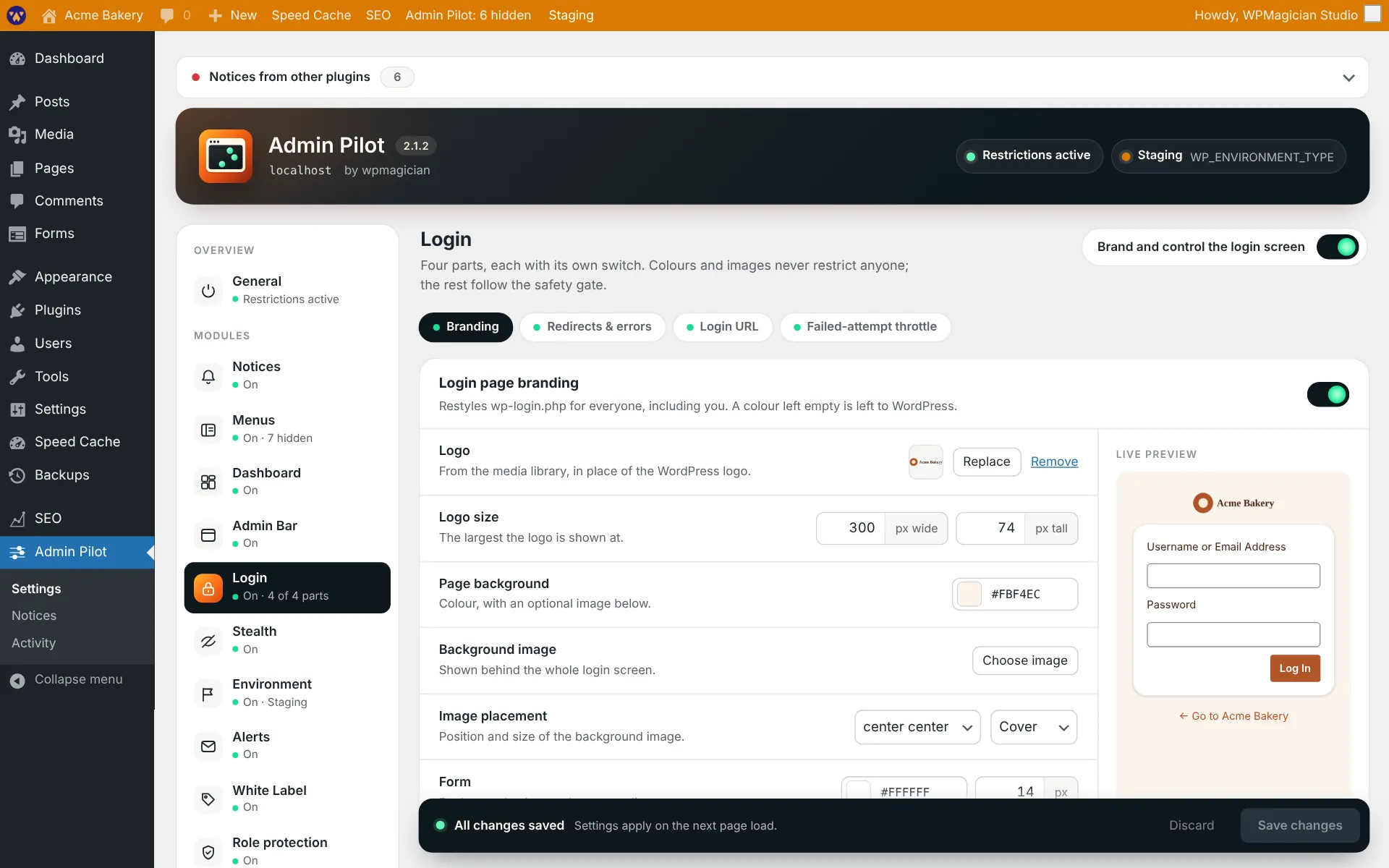
Logo, background, form, button and link colours and footer text on the login page, with a live preview as you edit. Per-role login and logout redirects, and one generic error that never confirms a username exists.

Custom login URL

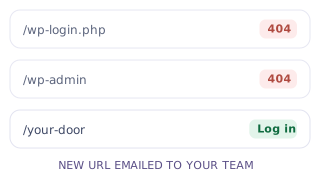
Move the login screen to your own path. wp-login.php and wp-admin return a 404 to logged-out visitors. Reserved words are refused, and it won’t run alongside another login-hiding plugin.

Failed-login throttle

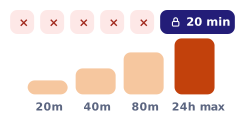
Locks an IP after repeated failed logins, with lockouts that grow on repeat. Usernames are never locked, so nobody can lock a client out of their own account, and your team always gets in with the right password.

Stealth

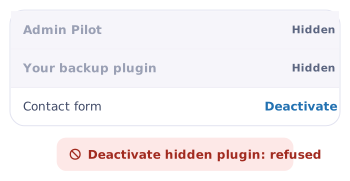
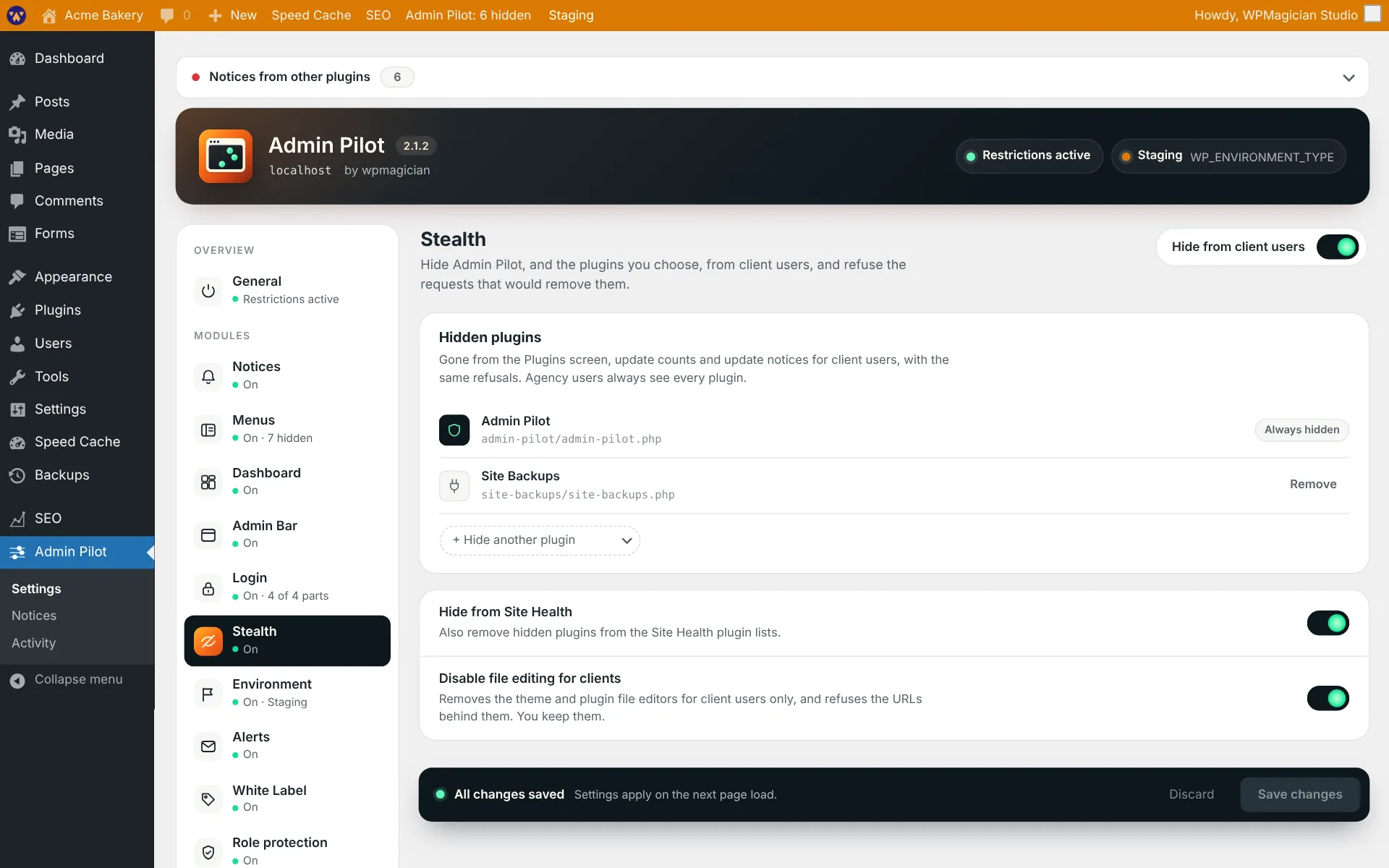
Hide Admin Pilot and tools like backup or security plugins from clients. Deactivating, deleting, updating or editing a hidden plugin is refused. Optionally switch off the file editors for clients only.
Role protection

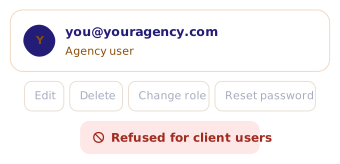
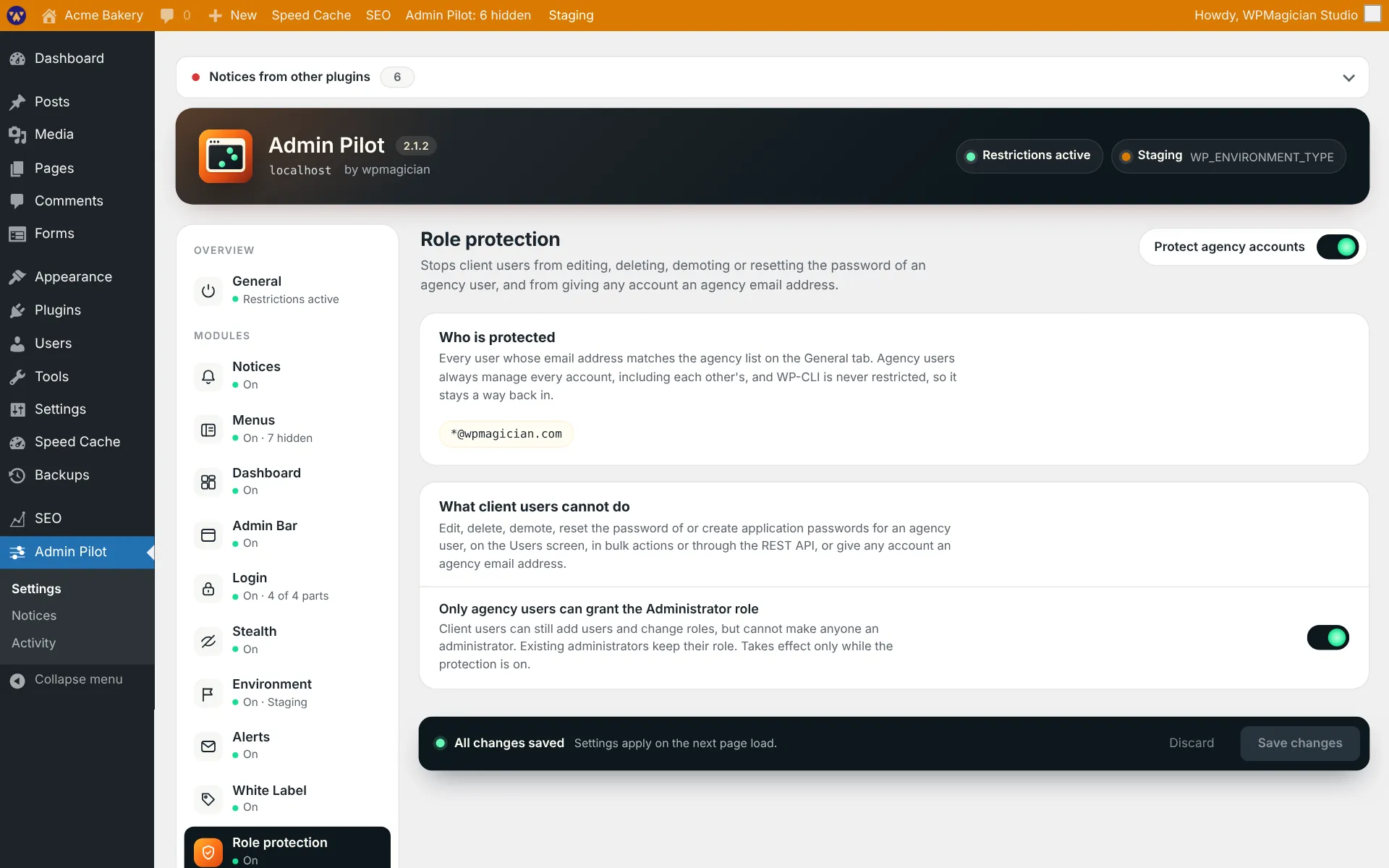
Clients can’t edit, delete, demote or reset your team’s accounts, on the Users screen, through AJAX or the REST API, or create an account with your email domain. Optionally only your team can grant Administrator.

Environment badge

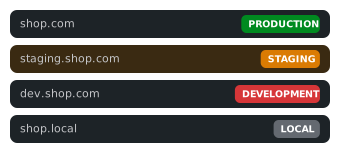
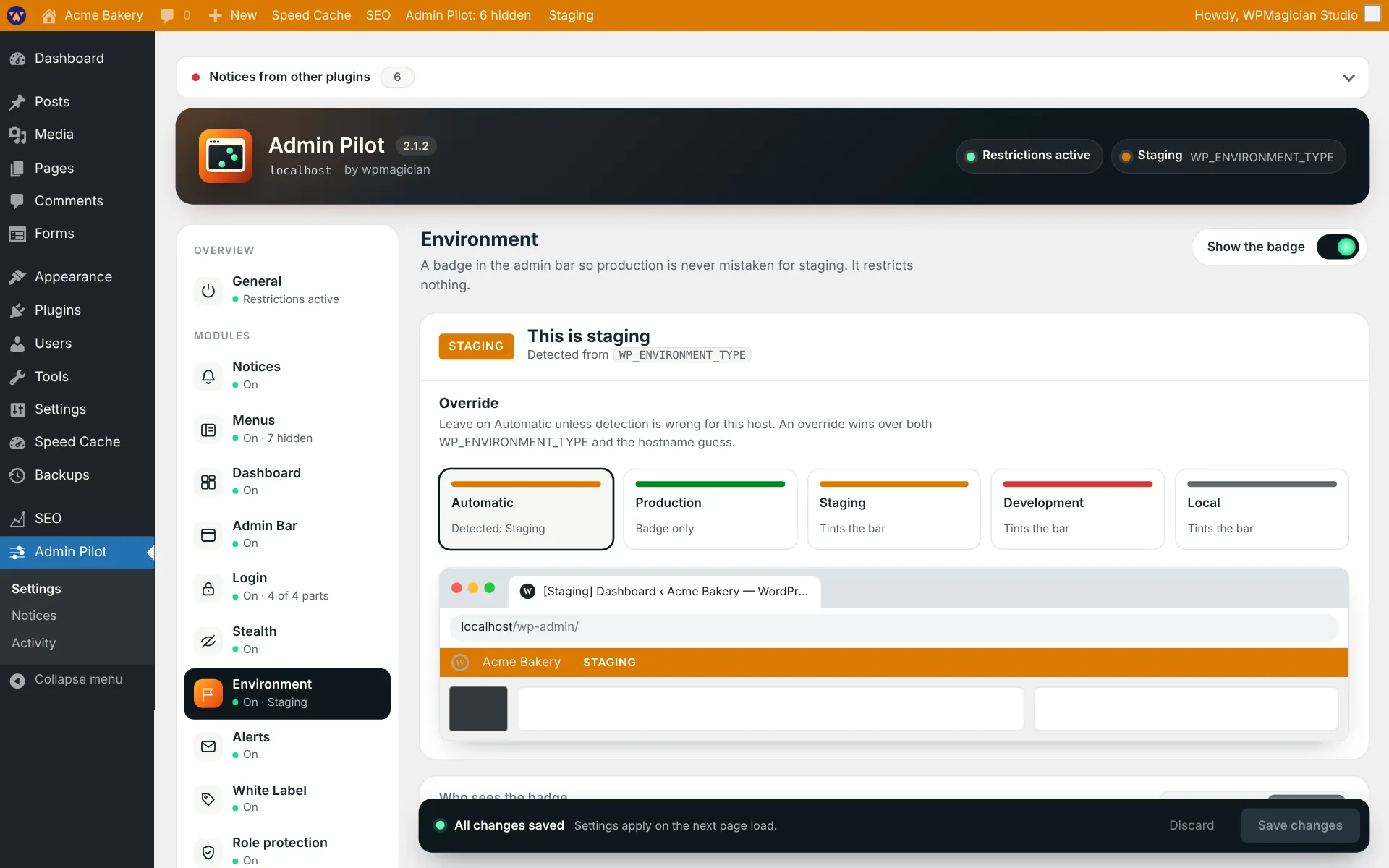
A coloured admin bar badge says which site you’re on, so production is never mistaken for staging. It detects common staging hosts, and can tint the bar and prefix the browser tab title.

Change alerts & activity log

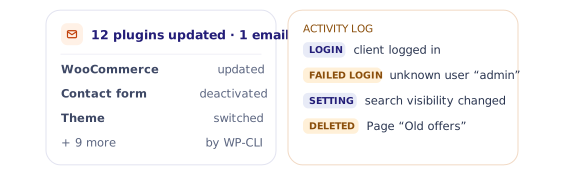
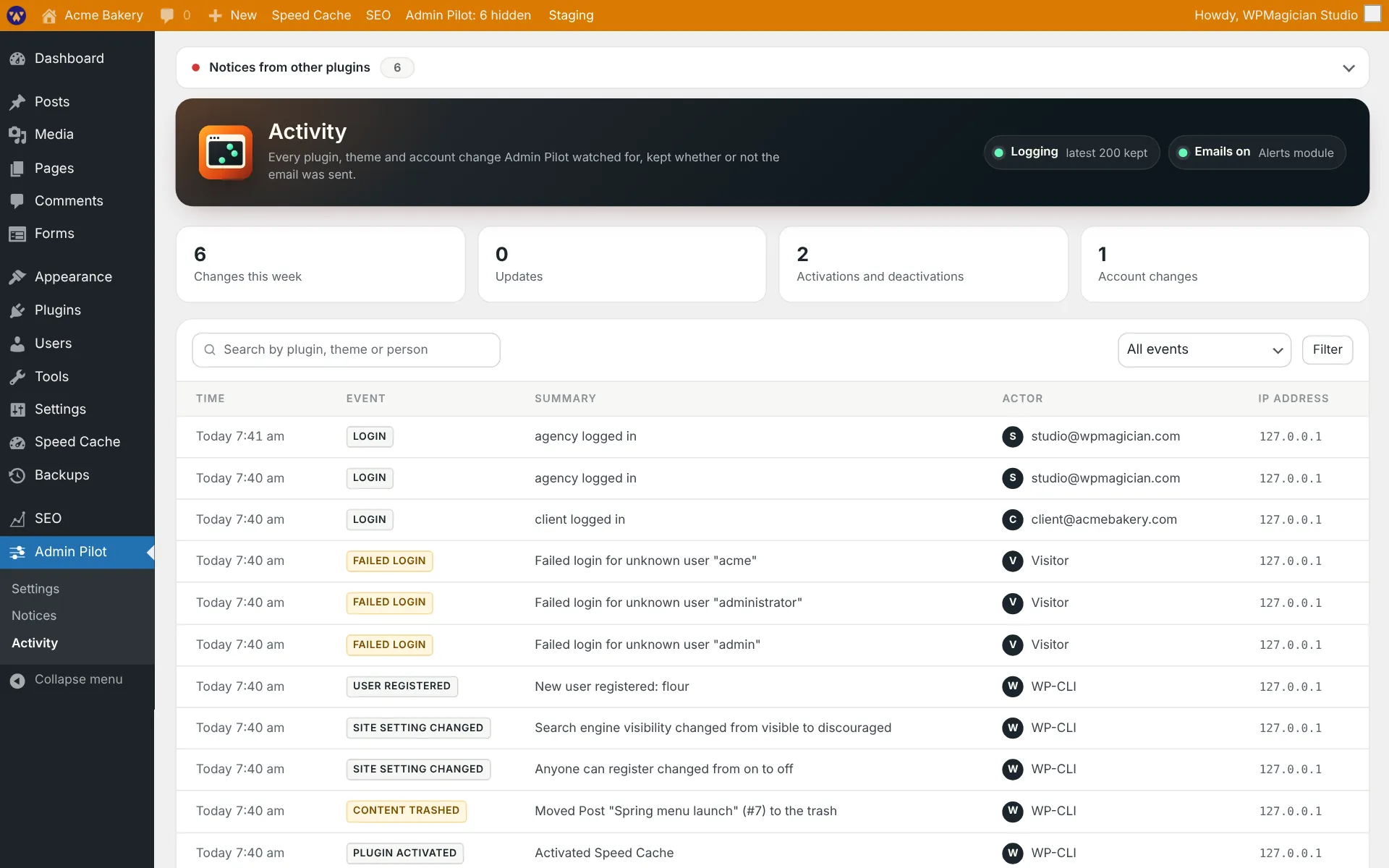
One email per request when plugins, themes or core change, saying who did it, with an hourly limit. Optional watchers for new users, role changes, key site settings, deleted content and logins. Everything is also kept in a searchable activity log.

Copy settings to another site

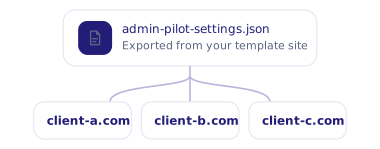
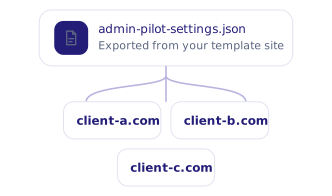
Set one site up, export every module’s settings to a file, and import it on each client site. Every value is checked before it’s saved, and an import that fails a check changes nothing. Site-specific images stay where they are.

Built to fail open

If anything looks wrong, nobody gets locked out.

Every restriction checks a safety gate first. If any check fails, Admin Pilot steps aside and everyone gets normal access.

Your team is exempt first

Every restriction skips agency users before it reads a single setting.

The right password always works

A team member with the correct password gets in, even during a lockout.

One line to switch it all off

Kill switches in wp-config.php work without the database and take effect on the next page load.

Leaves the plumbing alone

AJAX, REST, cron, WP-CLI, uploads and autosave are never blocked.

Take the tour

See Admin Pilot
inside wp-admin.

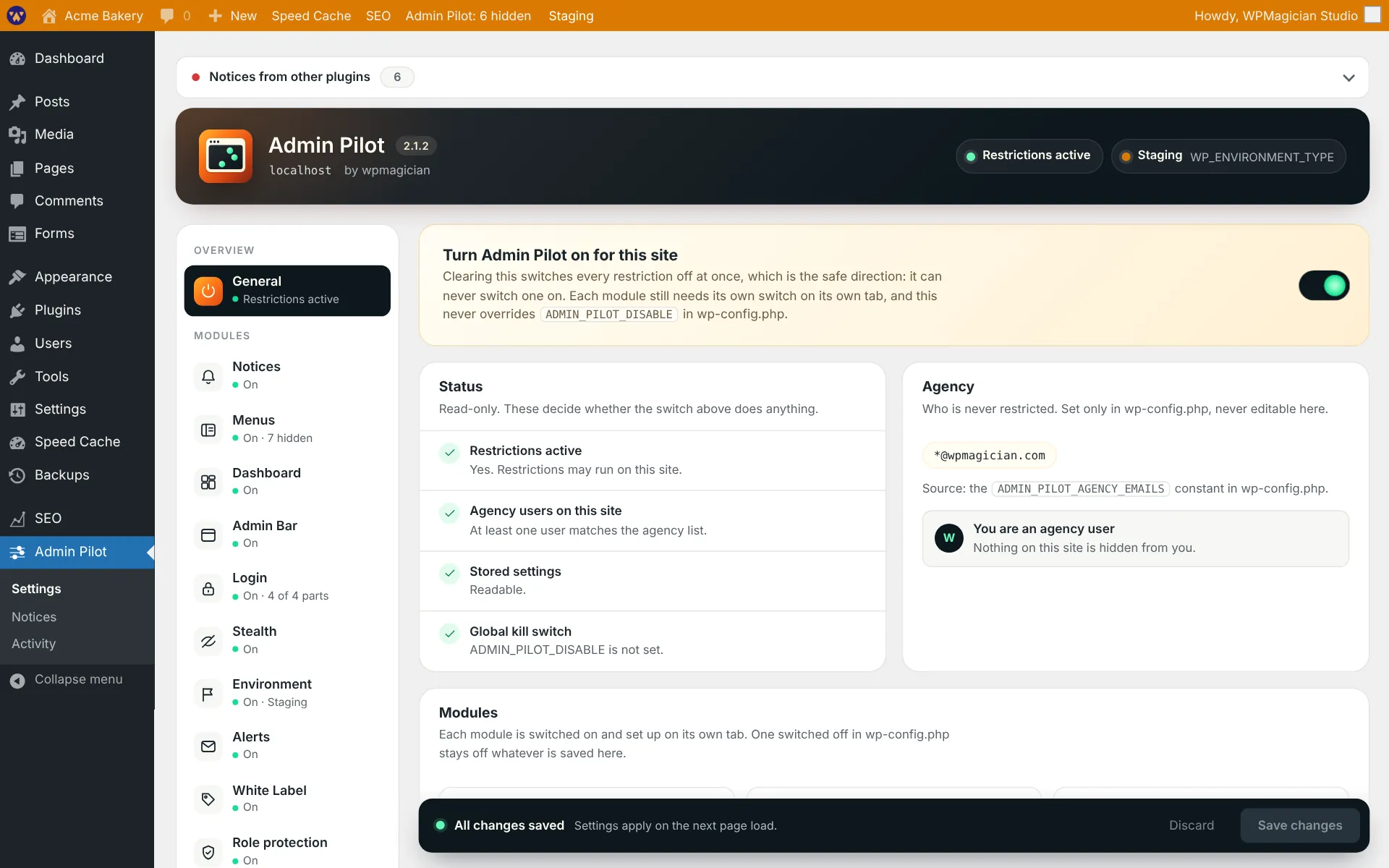
Fifteen screens from Admin Pilot 2.1.2, from the overview to white label. Screenshots from a demo site.

clientsite.com/wp-admin
Admin Pilot screenshot: Overview

01 / 15

Overview

One master switch, a status card that shows whether restrictions can run, your agency list from wp-config.php, and every module at a glance.

For developers

Plays nicely with
your code.

No custom tables, one settings option, and an uninstall that removes only what Admin Pilot added.

Kill switches

Turn off the whole plugin, one module, or one part of a module from wp-config.php. They work without the database.

// Everything off
define( 'ADMIN_PILOT_DISABLE', true );

// Or just one part, e.g. restore wp-login.php
define( 'ADMIN_PILOT_DISABLE_LOGIN_SLUG', true );
define( 'ADMIN_PILOT_DISABLE_LOGIN_THROTTLE', true );

Hooks

12

filters

4

actions

admin_pilot_restrictions_active admin_pilot_module_classes admin_pilot_menus_hidden_slugs admin_pilot_stealth_hidden_plugins admin_pilot_alerts_watched_options admin_pilot_settings_transfer_exclude admin_pilot_loaded

Honest about its limits

A custom login URL applies to everyone who’s logged out, your team included. Keep the emailed URL, and the kill switch, to hand.

Page caches need to be told to skip your custom login URL, the same way they already skip wp-login.php.

Hiding a menu removes the link only. Turn on “Block direct access” to stop the page loading by URL.

Hiding admin bar items and Dashboard widgets is cosmetic: it tidies the screen but doesn’t refuse any request.

WP-CLI is deliberately left open, so you can always manage the site from the command line.

Only the site Dashboard is handled, not the multisite network or user dashboards.

Pricing

Free. Every module included.

Admin Pilot is in early access. Request a spot to try it before public launch.

Admin Pilot

$0

For freelancers and agencies looking after client sites.

Notices

Menus

Admin bar

Dashboard

Login

Stealth

Environment

Alerts

Role protection

White label

Request early access ↗

Early access

Request early access

Leave your details and we’ll email you when your spot is ready.

Thanks! You’re on the list. We’ll email you when your spot is ready.

Questions

Admin Pilot, answered

Can a client administrator remove Admin Pilot?

Not from wp-admin while Stealth is on. Admin Pilot is hidden from their Plugins screen, and requests to deactivate, delete or update it are refused. Your team is listed in wp-config.php, and Role protection stops clients editing or deleting your accounts.

What if I lock myself out?

Add one line to wp-config.php, such as ADMIN_PILOT_DISABLE or ADMIN_PILOT_DISABLE_LOGIN_SLUG, and it takes effect on the next page load, without needing the database. Your new login URL is also emailed to your team whenever it changes.

Can I use the same setup on every client site?

Yes. Export the settings from one site as a file and import it on the others. Logos, background images and the proxy header stay per site. The file holds your login URL and alert recipients, so keep it private.

Does it work with my security plugin?

Yes for most features. The custom login URL won’t run alongside plugins that do the same job, such as WPS Hide Login, Solid Security or All In One WP Security, and the settings tab tells you when it finds one.

Will my clients notice anything is hidden?

They see a cleaner admin. Important messages still get through: errors, “Settings saved.” and notices on the page they just submitted always show.

What happens when I uninstall it?

Uninstalling removes Admin Pilot’s settings, its activity log and its temporary data, and nothing else. Deactivating keeps your configuration for next time.

Give clients a calmer admin.
Keep the keys.

Request early access, add your team’s emails to wp-config.php, and switch on one module at a time.

Every plugin is free to start. See all plugins